A Pre-Season Checklist for Winter Comps
Everything a league organiser needs to sort before round one — from team registrations and payments to fixtures, comms and the comp page your players will actually find. Work through this checklist and you'll start the season ahead, not catching up.
On this page
Running a winter comp is one of those jobs where the quality of your preparation shows up every single week — in the inbox you don't have to manage, the draw that doesn't need reshuffling, and the teams that actually know where they're playing. Get the lead-up right and the season largely runs itself. Get it wrong and you're playing catch-up from round two.
This is a practical winter comp pre-season checklist for league organisers. It's written for the person who owns the season — the one who fields the calls when something goes wrong and hasn't had a quiet Monday since February.
Work through these steps in order. Most of them take less time than you'd expect if they're done once, properly.
Why the weeks before round one set the whole season's tone
The problems that blow up mid-season almost always have their roots in the pre-season. A team that wasn't properly registered. A fixture built on an assumption nobody checked. A fee that was "sorted later" and wasn't. Comms that went to last year's contact list.
None of these are dramatic in isolation. Stacked together across twelve rounds, they're the reason some organisers dread comp day and others enjoy it.
The good news: the checklist is the same every year. Once you've done it cleanly once, it gets faster.
Step 1 — Lock in your competition structure
Before anything else, decide what you're actually running. This sounds obvious but plenty of organisers open registrations before they've confirmed the details that registrations depend on.
Pin down:
- Number of divisions (and criteria for placing teams)
- Round structure — how many rounds, do teams play everyone once or twice, do you carry results from the grading phase?
- Finals format — top two, top four, single elimination or finals series? If you haven't mapped out your tournament format yet, the guide to sports tournament formats covers the main options and trade-offs.
- Byes — if team numbers don't divide evenly, decide your bye policy now, not in round three.
- Wet weather and washout policy — write it down before anyone asks.
Once the structure is set, everything downstream (registration limits, fixture length, venue bookings) has a foundation to sit on.
Step 2 — Open team registrations and collect fees upfront
Registrations are where most of the pre-season admin pain lives — and most of it is self-inflicted. Teams that register without paying. Contact details that live in email threads. A spreadsheet that three people have edited and nobody fully trusts.
The cleaner approach: collect team fees at the point of registration, not as a separate step. When payment is part of the registration flow, you don't chase. Teams that aren't paid aren't in the draw. Simple.
If you're still using manual processes, the post on team registration and payments walks through why the gap between "registered" and "paid" causes so much late-season grief — and how to close it.
A few things to confirm before you open rego:
- Is your registration form capturing everything you need (team name, contact, division preference, player count)?
- Are fees correct and clearly communicated — total team fee, any deposit structure, payment deadline?
- Do you have a waitlist process for when a division fills?
Step 3 — Grade teams into divisions
Once registrations close, you need to place teams. This is where local knowledge earns its keep — you know which teams sandbag their grading, which new sides are actually made up of three ex-state players, and which mixed div genuinely needs a lower-skill option.
A few practical notes:
- Do this before you build fixtures. Reshuffling divisions after the draw is built costs you hours.
- If you run a grading round, be explicit with teams about how it works and when final division placements are confirmed.
- Keep a record of how you graded each team. When a captain complains in round four, you want a paper trail.
Step 4 — Build and publish your fixtures
Fixturing is the step most organisers dread most. Done in a spreadsheet, it's tedious and error-prone — one change propagates in ways you don't always catch until someone's standing on the wrong field.
The things that turn fixturing into a headache:
- Teams that share players and can't play the same night
- Venue availability that doesn't match the round structure neatly
- Uneven team numbers requiring byes
- Late registrations that force a reshuffle after you've already distributed round one
Build your fixtures as late as you responsibly can — you'll have better information about team numbers and venue slots. But publish them as early as you can once they're right, because teams need time to organise themselves.
For the mechanics of building a fair draw, the guide to creating sports fixtures is worth a read before you start.
Step 5 — Set up your public competition page
This one gets skipped more than any other step, and it's the one players notice most.
Before round one, every team in your comp should be able to find:
- The full fixture — their games, their times, their fields
- Current ladder (even if it's blank)
- Competition rules and any relevant policies
- A contact point for queries
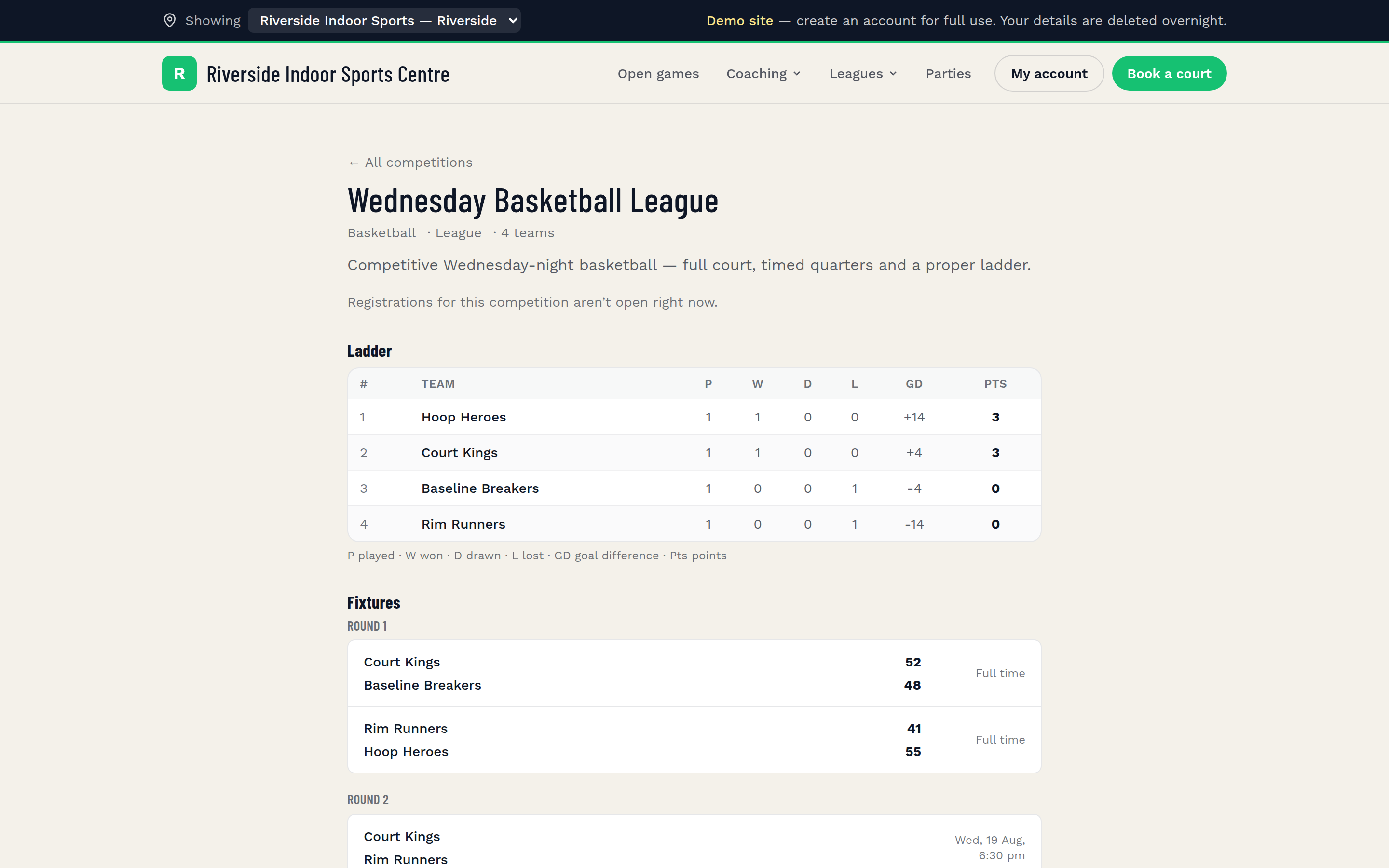
If that information lives in a PDF attached to an email, half your teams won't have it by round three. A public comp page that updates automatically — ladder after each round, results as they're entered — removes a huge volume of "where are we playing?" messages.
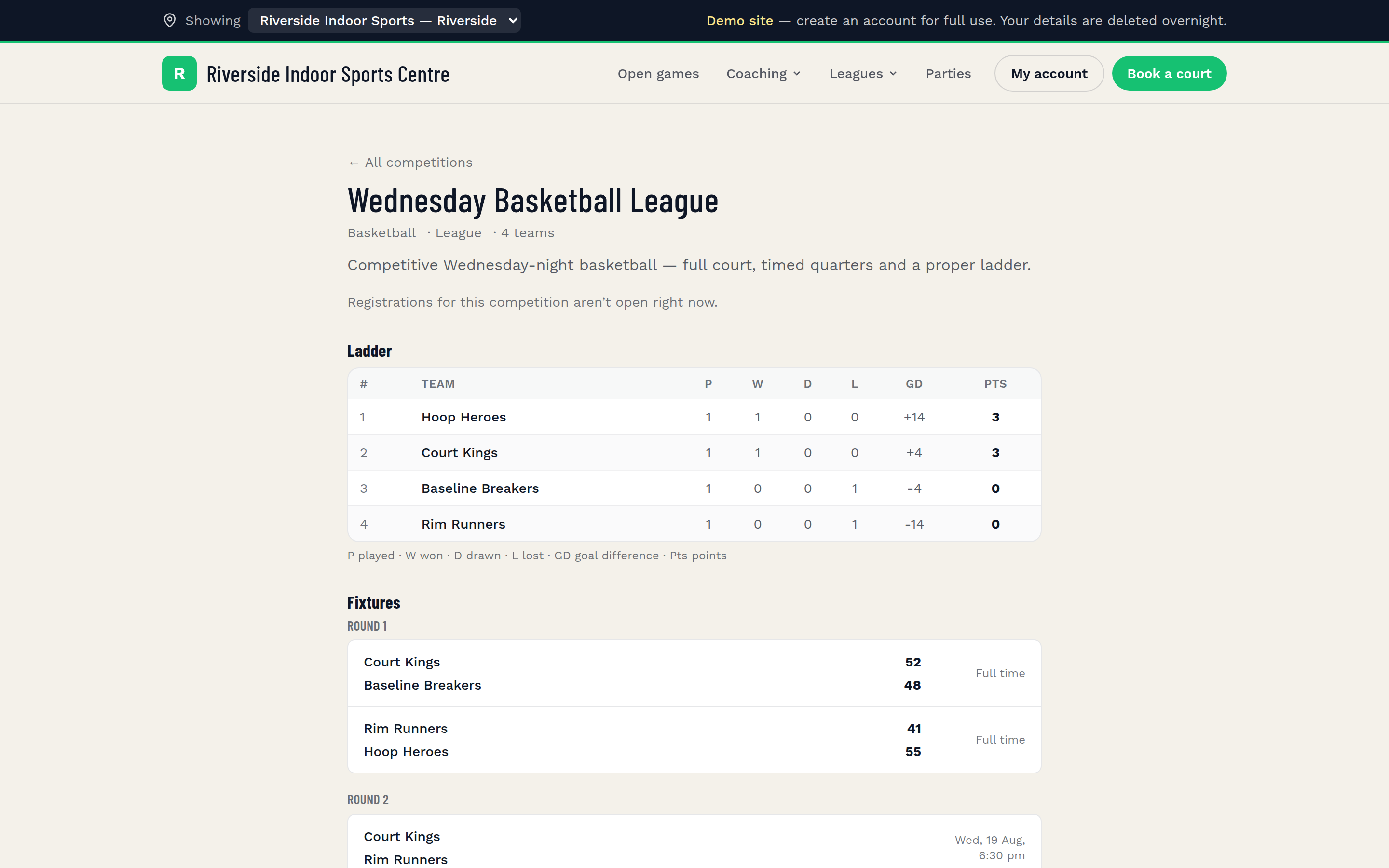
Sweepa's competition management features include a public-facing comp page at your venue's Sweepa URL, with the ladder, fixtures and results visible without players needing to log in. It's one of the things that makes the biggest practical difference to how much admin you field mid-season.
Step 6 — Send your pre-season comms
Before round one, teams need at minimum:
- Confirmation that their registration is complete and payment received
- Their full fixture (or a link to it)
- Venue details — address, parking, any access notes
- Your wet weather / cancellation communication method (and what number or page to check)
- Any rule changes from last season
Send these as a single well-structured email, not five separate ones. If you have a parent communication pattern to follow — particularly for junior comps — the sports parent communications guide has a useful structure for this.
Also worth sending: a "save these details" message to team captains specifically, with their contact listed so other captains can reach them directly. Reduces your role as message intermediary.
Step 7 — Confirm your venue logistics
This is the ops step that falls through the cracks when the admin load peaks.
Before round one:
- Walk the venue. Know which fields or courts are in play, what state they're in, and what your wet weather threshold is.
- Confirm your referee or officiating arrangements. If you rely on volunteer refs or a service provider, lock them in writing — not just a verbal.
- Make sure your staff know the competition structure and can answer basic player questions without escalating to you.
- Check your changeover timing. The gap between games sounds generous on paper and disappears fast on the day.
- Test your score entry process. If results go into a system, do a dry run before round one so there are no surprises when you're trying to wrap up a session.
If you're running the venue side across multiple locations, the multi-location venue management post covers some of the coordination challenges specific to that setup.
Your winter comp pre-season checklist at a glance
Here's the full list in order. Use it as your actual checklist in the weeks before round one.
Structure and planning
- [ ] Competition structure confirmed (divisions, rounds, finals format, bye policy)
- [ ] Wet weather and washout policy written and ready to communicate
- [ ] Venue slots locked in for the full season
Registrations and payments
- [ ] Registration form live with correct fee amounts
- [ ] Payment collected at point of registration (not separately)
- [ ] Waitlist process in place for full divisions
- [ ] Registrations closed and all fees confirmed before fixturing
Grading and fixtures
- [ ] Teams graded into divisions
- [ ] Fixture built — all divisions, all rounds
- [ ] Fixture checked for conflicts (shared players, venue availability, byes)
- [ ] Fixture published and accessible
Comms and information
- [ ] Public comp page live (ladder, fixtures, results, contact)
- [ ] Pre-season email sent to all team contacts
- [ ] Wet weather communication channel confirmed and communicated
Venue and operations
- [ ] Venue walkthrough done
- [ ] Referee or officiating confirmed in writing
- [ ] Staff briefed on comp structure
- [ ] Score entry process tested
Common mistakes to avoid in the lead-up to round one
Opening registrations before the structure is confirmed. Teams ask questions you can't answer yet, and you may end up with registrations for divisions that change shape.
Separating registration from payment. Every day between "registered" and "paid" is another day of follow-up. Collect at registration or not at all.
Fixturing too early. Build the draw after registrations close, not before. Late arrivals force reshuffles; reshuffles cost goodwill.
Sending the draw in a PDF. Players lose it, share outdated versions, and message you when things change. A live page beats a static document every time.
Leaving wet weather policy vague. "We'll let you know" is not a policy. Teams need to know when a decision is made, where to check, and what the fallback is. Write it down before it rains.
Skipping the venue walkthrough. Something changes between the end of the summer season and the start of winter every year. Find out what before round one, not during it.
If the end of last season felt chaotic rather than finished, the end of season playbook has a useful mirror-image checklist for wrapping up cleanly — worth reading alongside this one when you're planning the year.
FAQ
When should I open winter comp registrations?
After you've confirmed your competition structure — divisions, round count, finals format and venue availability. Opening rego before that's locked in means you'll field questions you can't answer and potentially need to refund or reshape registrations. A common pattern is to open registrations four to six weeks before round one, with a clear closing date that gives you at least a week to grade teams and build the fixture.
How do I handle a team that registers but doesn't pay?
The simplest fix is to make it structurally impossible — collect payment at the point of registration rather than as a separate step. If your current process separates them, set a firm payment deadline and communicate clearly that unpaid registrations won't be included in the draw. Following up individually on late payments is time-consuming and creates awkward conversations; a clear policy at the outset removes most of it.
What's the best way to communicate the fixture to teams?
A public, always-current page beats a PDF or spreadsheet every time. Teams lose files, share outdated versions, and message you when something changes. A web page that updates automatically — showing the current ladder, upcoming fixtures and results — cuts down the volume of 'where are we playing?' messages significantly. At minimum, send team contacts a direct link to wherever the live fixture lives.
How far in advance should I confirm the fixture before round one?
Ideally five to seven days before round one, after registrations are fully closed and teams are graded. Publishing earlier than that increases the risk of needing to reshuffle when a late registration comes in or a team drops out. Teams generally only need a few days' notice to organise themselves for round one — what matters is that the information is accurate when it goes out.
What should my wet weather policy cover?
At minimum: who makes the call, how early they'll make it, where the decision will be communicated (a dedicated page, SMS, social post — pick one and stick to it), and what happens to washed-out games (rescheduled, abandoned, results stand). Write it down before the season starts and include it in your pre-season comms so teams aren't calling you in the rain to find out.