Sports Venue Mobile App: Who Opens What and Why
Sweepa ships two separate mobile apps — one for your staff, one for your players and parents. Here's what each one does, who actually uses it, and what changes when your team stops running the day off a printed run sheet.
On this page
There's a version of Saturday morning that every venue operator knows. Someone printed the run sheet on Friday afternoon. Between then and 8 a.m. Saturday, two bookings moved, one court got a wet patch, and the casual staff member who was supposed to open hasn't seen any of it — because the update lived in a group chat she'd muted.
The run sheet isn't the problem. The problem is that it's static, and venues aren't.
A sports venue mobile app changes the equation by putting live information in the hands of the people who need it, the moment it changes. Sweepa ships two separate apps to do this — one for your staff, one for your clients (players, parents, team managers). They look different, do different things, and open for different reasons. Understanding the split is the first step to getting value from either.
Why a printed run sheet is a single point of failure
A printed — or even PDF-emailed — run sheet is a snapshot of a moment that's already passed. The instant a booking is rescheduled, a court goes out of service, or a player cancels, the sheet is wrong. Everyone working from it is working from bad data.
The downstream effects are predictable: a staff member sets up the wrong court, a client shows up for a session that shifted, a casual doesn't know the new closing time. Each of those costs you time, goodwill, or both.
The fix isn't a better PDF. It's a live source of truth that travels with your team.
This is what the Sweepa features are designed around: a single system where bookings, schedules, communications and client records all live together — and two apps that surface the right slice of that system to the right person.
The two apps: what they are and who they're for
Sweepa splits the mobile experience deliberately.
The staff app is for the people running the venue — managers, coordinators, casual staff. It shows what's on, what's paid, what needs attention, and lets staff act on that information without logging into a desktop browser.
The client app is for everyone on the other side of the counter — players booking a court, parents registering for a coaching term, team managers checking the fixture. It gives clients self-service access to their own information: their bookings, their invoices, their team's draw.
The split matters because the two groups need completely different views. A client doesn't need to see the full court schedule. A staff member shouldn't be navigating a parent-facing registration flow to find out who's on court three.
What the sports venue mobile app does for staff
The staff app is built around the operational questions your team asks on a daily basis:
What's on right now, and what's coming up? The app surfaces today's schedule — bookings, open sessions, coaching programs — in chronological order. No hunting through a desktop system; a staff member walking in for a shift can see the day at a glance.
Who's paid, and who hasn't? Payment status sits next to each booking. A casual checking in a group can see immediately whether the booking is settled or whether there's an outstanding balance to sort before the session starts. This matters most for venues that take online bookings — the payment trail is already in the system, so staff aren't chasing cash at the door.
Attendance and check-ins. For coaching programs and term sessions, staff can mark attendance directly from the app. That data flows back to the platform, so a program coordinator can see patterns over time without collating a spreadsheet. If you run coaching attendance tracking as a condition of your insurance or safeguarding process, this closes the paper gap.
Client records at arm's length. If a player or parent has a question about their account, a staff member can pull up the record on the spot — no desktop required, no "I'll have to check and get back to you."
The staff app isn't a full admin console. It's designed for the operational moment: the ninety seconds between sessions when you need one piece of information fast.
What the client app does for players and parents
The client app solves a different problem: clients wanting information without having to ring you.
Most of the calls and messages a venue gets during the week are clients asking questions the system already knows the answer to. "What time is my booking?" "Is the invoice sorted?" "Where's the draw?" The client app lets people answer those questions themselves.
Bookings. Clients can view their upcoming bookings, see the court or session they're on, and — depending on your venue's settings — manage their own reservations. For recurring hirers, this is particularly useful: they see their whole run of bookings in one place rather than having to remember which Thursdays they've locked in.
Invoices and payment. The client app surfaces outstanding invoices and lets clients pay without needing to be prompted. Venues that have written about getting paid upfront for court hire know that frictionless payment paths are the single biggest lever on collection rates — removing the "I'll do it later" moment.
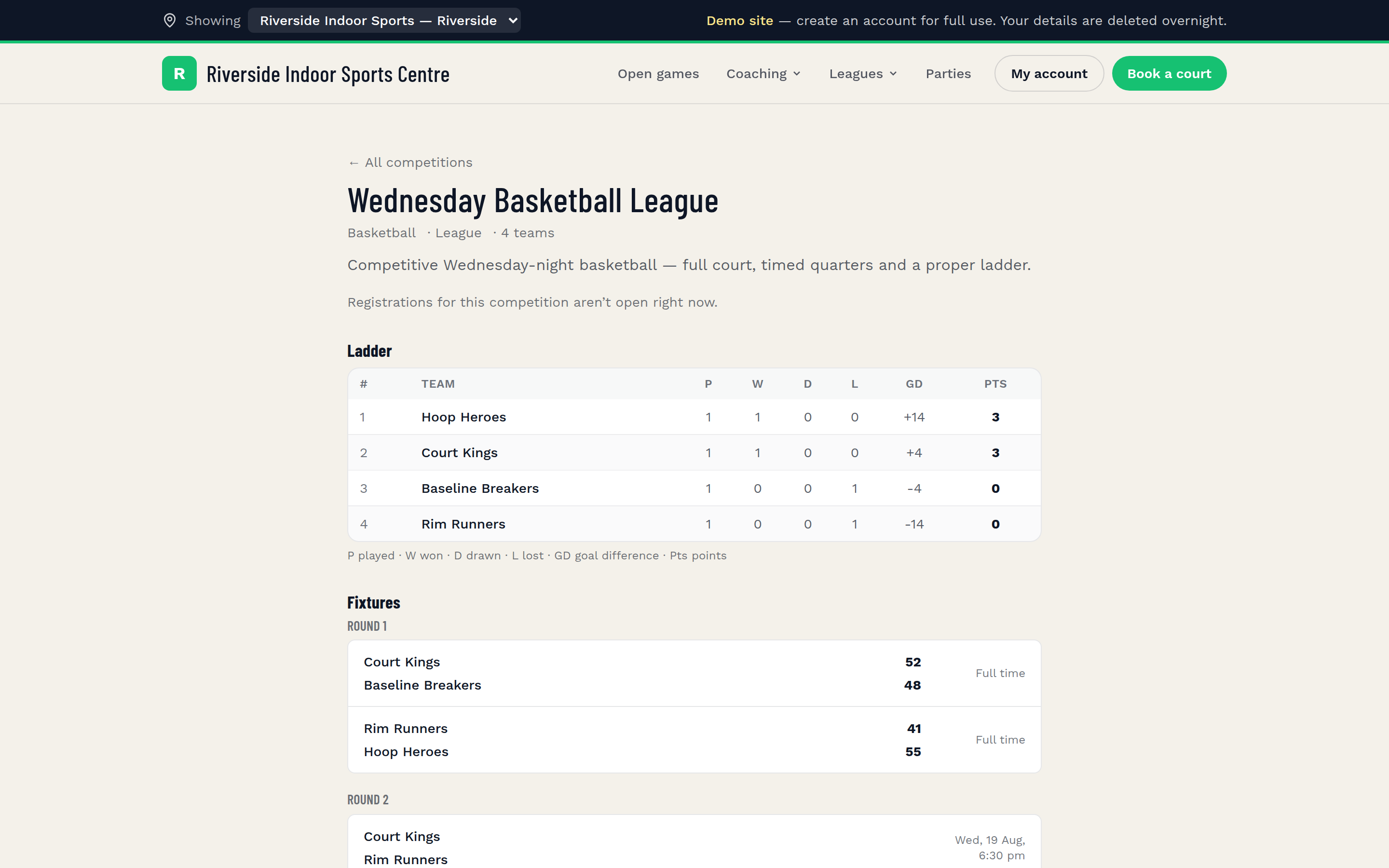
Competition draws and results. For league players, the client-facing comp page means they never need to ask when they play. Fixtures, results, and the ladder are visible in the app as soon as they're published. This alone eliminates a significant volume of mid-week messages for league operators.
Registrations. Clients can register for programs, camps, and competitions directly through the app. For coaching programs with waitlists or sibling discounts, the registration flow handles the logic — a parent doesn't need to call to ask whether the discount applied.
The client app is also what your clients experience when they interact with your branded Sweepa site. The experience is consistent whether they're on a browser or the app, which matters for venues that have invested in building a credible online presence.
The handoff: how the two apps work together on game day
The real value of the two-app model shows up in the seams — the moments where information needs to move from a client action to a staff response without anyone making a phone call.
A client books and pays through the client app. The booking appears immediately in the staff app schedule. A staff member setting up courts sees it, confirms the court assignment, and the client gets a confirmation. No phone-tag. No "did they actually pay?" uncertainty at the door.
The same logic applies to comp registrations. A team manager registers and pays through the client-facing flow. The competition organiser sees the team in the system, can publish the fixture, and the draw appears in the client app for every player in that team. This is the operational loop that replaces the back-and-forth that eats hours every week for league organisers — similar in scale to the coordination savings described in how to run a sports league.
For coaching programs, attendance marked in the staff app is visible to program coordinators in real time. If a coach marks a player absent on the app, that record exists — no paper register to transcribe later.
Common mistakes venues make when rolling out mobile apps
Not telling clients the app exists. The client app only reduces inbound calls if clients know to use it. A direct email or SMS to your existing client base at launch — with a one-sentence explanation of what they can do in the app — is worth doing before you assume uptake is low.
Expecting staff to figure it out without a walkthrough. The staff app is straightforward, but fifteen minutes showing each team member the three or four screens they'll actually use is fifteen minutes well spent. What's the schedule view? How do you mark attendance? Where do you see payment status? Walk it once; it sticks.
Keeping a parallel paper process. The run sheet problem doesn't solve itself — you have to actually retire the sheet. Venues that run the app and the run sheet in parallel during a "transition" often find the transition never ends, because the sheet still feels reliable to whoever's been using it for three years.
Assuming the apps replace management judgment. The apps surface information; your team still makes decisions. Wet-weather calls, rebooking conversations, handling a frustrated parent at the desk — those are still human moments. The apps free up your team to handle those well by removing the information-chasing that used to surround them. If you run a wet weather policy, the apps help you communicate it quickly; they don't write the policy for you.
What good looks like after the switch
A venue running both apps well looks something like this: a staff member opens for the morning, checks the schedule on the app, and sees two back-to-back court bookings for 8 a.m. — both paid, both confirmed. She sets up without asking anyone anything.
At 8:10, one of those clients messages through the client app asking to move to court two because court one has a scuff near the service line. The staff member sees it, confirms in two taps. The client's booking updates. No phone call.
At lunch, the program coordinator marks attendance for the morning coaching group. Three parents get a notification that their child was absent — which they already knew, but now there's a record. At end of day, the coordinator exports attendance without opening a spreadsheet.
That's not a utopian vision of the future. It's what removing the printed run sheet actually looks like in practice — not dramatically different, but consistently smoother, in all the small moments that add up across a week.
For venues that are still working out whether the broader platform fits their operation, the Sweepa pricing page sets out what's included on each plan and how the platform fee works. The apps come with the platform — they're not an add-on.
The goal isn't to make your venue feel like a tech company. It's to make Saturday morning feel like you planned it — because, in the system at least, you did.
FAQ
Do both Sweepa apps work on Android and iOS?
Yes — the staff app and client app are available on both Android and iOS. Your team and your clients don't need to be on the same device type for the system to work.
Can clients book courts directly through the client app?
Yes. Clients can view availability, make bookings, and pay through the client-facing app, depending on the booking types you have configured in Sweepa. Casual hire, recurring bookings, open games, and party bookings can all be made self-service.
Do staff need admin access to use the staff app?
No — the staff app is designed for operational use, not full administration. Staff can view schedules, check payment status, and mark attendance without having full platform access. You control what each staff member can see and do.
What happens to the client app if I update a booking in the platform?
Changes made in the Sweepa platform update immediately. If you reschedule a booking, cancel a session, or change a court assignment, the updated information is reflected in the client app without any manual notification step — though you can also send an SMS or email through Sweepa to make sure clients notice the change.
Is the client app the same as the branded venue website?
They share the same underlying system and present consistent information, but the branded site (your {slug}.sweepa.io address) is accessed via browser while the client app is a native mobile experience. Clients can use whichever they prefer — bookings, registrations, and comp draws are accessible through both.