The complete guide to court booking systems
A practical, no-fluff guide to what a court booking system needs to cover — from casual and recurring hire through to payment, cancellations and reporting — and how to roll one out in a week.
On this page
What a court booking system actually does
Strip away the marketing language and a court booking system does one job: it turns "is this court free" into "yes, it's mine, confirmed and paid for" — without a phone call, a hold-and-hope text message, or a front-desk diary nobody else can see. That's it. Everything else — reminders, reporting, payment capture — exists to support that one exchange happening cleanly, every time, for every person trying to book.
Most venues don't start here. They start with a shared calendar, a phone that takes bookings between 9 and 5, and a mental map of who's playing when. That works until the venue gets busy enough that two people are trying to hold the same court at once, or a booking taken over the phone on Tuesday never makes it into the diary by Thursday. At that point, court hire software stops being a nice-to-have and starts being the thing that prevents double-bookings from becoming a weekly occurrence.
A proper court booking system covers four things end to end: showing real availability so people can see what's actually free before they ask; taking the booking itself, whether that's a one-off casual hit-up or a standing weekly slot; collecting payment at the point of booking rather than chasing it afterwards; and giving staff one place to see, edit and manage everything without cross-checking three different tools. Miss any one of those four and you haven't really solved the booking problem — you've just moved where the friction sits.
This guide walks through each part in enough detail to shop for a system properly, whether you're comparing a purpose-built court booking system against a general calendar tool, or working out whether your current setup still earns its keep.
Casual vs recurring hire
Not all bookings behave the same way, and a booking system that only handles one type well will eventually strain against the other. Casual hire is a one-off: someone wants Court 3 on Saturday at 4pm, they book it, they show up, done. It needs to be fast — ideally a few taps from "browse availability" to "confirmed" — because casual bookers compare that speed against every other app on their phone, not against your old paper diary.
Recurring hire is a different shape of problem. A five-a-side team that plays every Tuesday at 7pm for a full term needs their slot locked in weeks in advance, ideally without re-booking and re-paying each week. That means the system needs a concept of a standing booking that renews or bills on a schedule, plus a sensible way to handle the exceptions — a bye week, a public holiday, a team that drops out mid-term and needs their slot released back to casual availability.
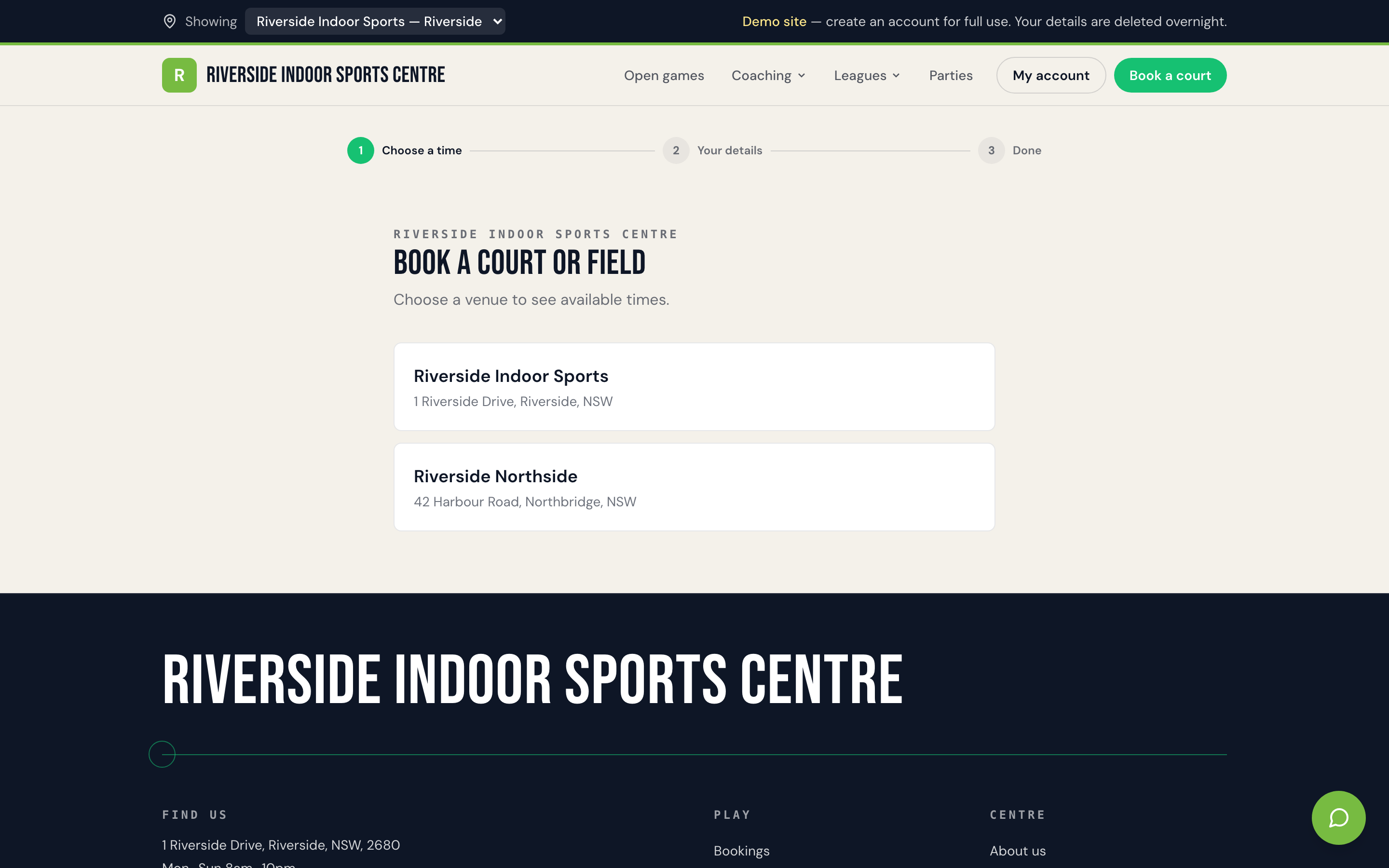
The failure mode we see most often isn't that venues can't handle one or the other — it's that the two don't share a calendar. Casual bookings live in an online system; recurring blocks live in a spreadsheet someone updates by hand. Inevitably, a casual booking gets taken for a slot a recurring team already holds, because whoever answered the phone couldn't see the full picture. The fix isn't cleverness, it's a single source of truth: one calendar where casual online bookings, recurring blocks, party bookings and open games all draw from the same real-time availability, so nothing can be double-sold by accident.
Availability and pricing rules
Availability sounds simple until you try to configure it. Peak and off-peak pricing, different rates by court type or surface, member versus casual pricing, minimum booking lengths, buffer time between bookings for changeover — a real venue accumulates rules like this over years of trial and error, and a booking system needs to hold all of them without you re-explaining the exceptions to staff every shift.
The practical test is whether the rules live in the system or in someone's head. If off-peak pricing is meant to kick in at 3pm on weekdays but your booking page still shows peak rates until someone manually flips a switch, you don't have a pricing rule — you have a reminder task that occasionally gets missed. The same goes for buffer time: if your futsal courts need ten minutes between bookings for a wipe-down and net reset, that buffer should block the calendar automatically, not rely on the next booker reading a sign at the door.
Good availability configuration also means being honest about what's actually bookable. A court blocked for maintenance or a coaching program shouldn't quietly disappear from casual view and reappear as a surprise double-booking later — it should show clearly as unavailable, for a reason staff can see if they need to override it. Online court booking works best when the calendar customers see is exactly the calendar staff are working from, with no manual reconciliation step in between.
Payment at booking
This is the single change that removes the most admin from a venue's week: taking payment at the moment of booking, not on arrival or on invoice afterwards. A slot that's "held" without payment isn't really booked — it's a soft commitment that someone has to chase, confirm, or eventually release when the booker doesn't show.
Card, Apple Pay and Google Pay at checkout should be table stakes for any court booking system in 2026 — customers expect to pay the same way they pay for everything else, in the same flow, without being redirected to a separate invoice or asked to call the office. Where it's enabled, offering Afterpay or Zip alongside standard card payment can also reduce drop-off for higher-value bookings like a block of sessions or a party package, though it's worth checking that a payment split like this actually suits how you want cash flow to land.
The knock-on benefit is bigger than it looks. When payment happens at booking, "chasing payments" stops being a weekly task and becomes an occasional exception — the rare bounced card, not a standing Monday-morning job. If pricing itself is still an open question for your venue — what to charge, how to structure peak versus off-peak, whether to bundle — it's worth reading through separately rather than bolting payment logic onto rates you haven't fully settled yet.
No-shows and cancellations
Every venue eventually has to decide, in writing, what happens when someone books and doesn't turn up, or cancels an hour before their slot. This is a policy decision before it's a software feature, and it's one of the most common places venues get caught out — not because the policy is wrong, but because it's applied inconsistently depending on who's on shift.
A workable cancellation policy needs three things settled: how much notice counts as a "real" cancellation versus a late one, what happens to the payment in each case (full refund, partial, credit, or no refund), and who has the authority to make an exception. Write it as a sentence you could say out loud to a member — "cancel more than 24 hours out for a full refund, inside 24 hours it's a credit, no-shows forfeit the booking" — and then make sure the system enforces that same sentence automatically, rather than leaving it to whoever picks up the phone that day.
No-shows carry a second cost beyond the lost payment: the court sits empty when it could have been released to someone else. A booking system that flags no-shows and makes it easy to release a slot back to availability turns a frustrating gap into a recoverable one. Venues that skip this step tend to under-price the real cost of a no-show, because it shows up as lost revenue on a spreadsheet nobody checks in the moment, rather than as an empty court someone can see and act on.
Reporting that matters
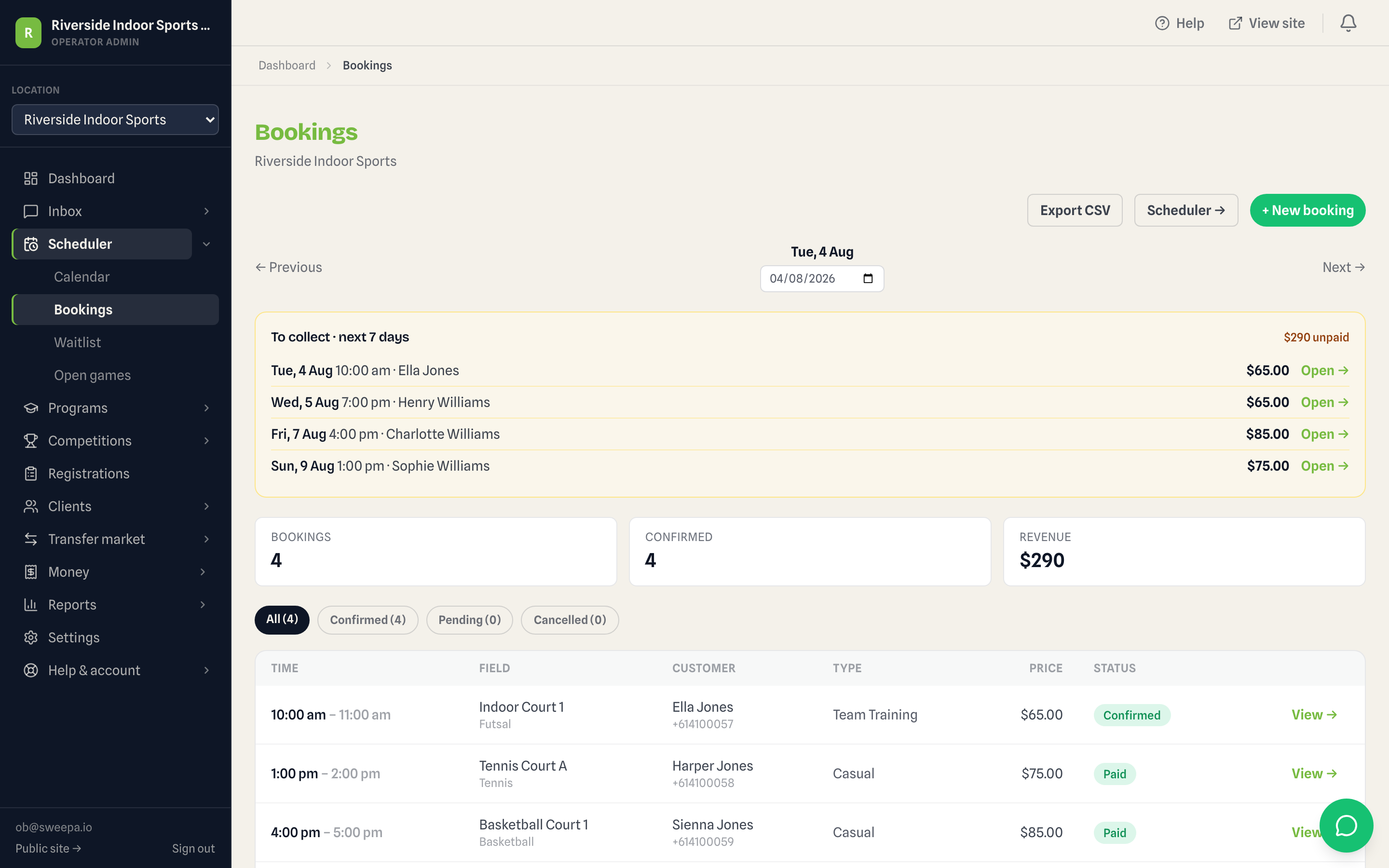
Booking data is only useful if someone actually looks at it, and most venues collect far more than they ever review. The reports worth checking regularly are the ones that change a decision, not the ones that just look thorough. Utilisation by court and by time slot tells you where your off-peak gaps actually are, rather than where you assume they are. Revenue by booking type — casual versus recurring versus parties — tells you which part of the business is actually carrying the venue. And a simple outstanding-payments view, even if it should rarely have anything on it once payment-at-booking is switched on, is the fastest way to catch the exceptions before they become awkward conversations.
The trap to avoid is reporting for its own sake. A dashboard with twenty metrics nobody opens is worse than one with four that get checked every Monday. If you're deciding whether to add a second court, extend evening hours, or drop an underused time slot, the honest answer usually sits in three or four numbers — utilisation, revenue mix, no-show rate, and outstanding payments — not in a report built to impress rather than inform.
Rolling one out in a week
Switching booking systems feels bigger than it is, mostly because operators picture migrating years of history rather than just getting live for what's coming next. In practice, a week is enough if you focus on the right five days.
Day one is setup: courts, opening hours, and pricing rules (peak, off-peak, buffer times) entered once, checked twice. Day two is payments — connecting your Stripe account, testing a real transaction end to end, confirming refunds work the way your cancellation policy needs them to. Day three is loading recurring bookings — your standing teams and regulars — so nobody's weekly slot gets lost in the switch; this is the step most likely to reveal a gap in your old records, so budget extra time for it. Day four is a staff walkthrough: everyone who'll take a booking over the phone or at the counter needs ten minutes on the new system before it goes live, not a link to figure out themselves mid-shift. Day five is the soft launch — live for online bookings, with staff still taking phone bookings manually as a backup while you watch for anything unexpected.
The mistake to avoid is running two systems in parallel for longer than that soft-launch day. Every extra day the old diary and the new system both technically hold bookings is another chance for a court to get double-sold. Set a cutover date, tell your regulars it's coming, and commit to it — a slightly rough first week on one system beats an indefinite limbo between two.
A platform like Sweepa's booking and payments features is built around exactly this rollout shape — configuration, payments and staff dashboard live together, so there isn't a separate tool to wire up for each piece. If you're earlier in the process and still working out the broader operating rhythm a booking system needs to fit into, our guide to running a sports facility is a useful starting point, and if payment timing specifically is still unsettled, getting paid upfront for court hire covers that decision in more depth.
FAQ
What's the difference between a court booking system and general booking software?
General booking software (built for salons, consultants or generic appointments) can technically handle a court, but it usually lacks sport-specific logic like recurring team bookings that roll over each week, buffer time for changeovers, and peak/off-peak pricing tied to court type. A purpose-built court booking system handles these as first-class features rather than workarounds.
Can a court booking system handle both casual hire and recurring team bookings?
Yes — and it needs to, on the same calendar. The common failure isn't that either type is hard to support individually, it's running them in separate systems so a casual booking can be taken for a slot a recurring team already holds. Both should draw from one real-time availability view.
Do I need to take payment at the time of booking?
It's not compulsory, but it's the single change that removes the most admin from a venue's week. A slot held without payment is a soft commitment someone has to chase or release later. Taking payment at booking turns payment chasing into an occasional exception rather than a routine task.
How long does it take to switch to a new online court booking system?
For most venues, a week is realistic if it's structured: one day for court and pricing setup, one for payment testing, one for loading recurring bookings, one for a staff walkthrough, and a soft launch on the fifth. The main risk is running an old and new system in parallel for too long afterwards, which reopens the door to double-bookings.
What should a cancellation policy for court hire actually cover?
At minimum: how much notice counts as a full-refund cancellation versus a late one, what happens to payment in each case, and who can make an exception. Write it as one sentence you could say out loud to a member, and make sure the booking system applies that same rule automatically regardless of who's on shift.
What booking reports should a venue actually check regularly?
Court utilisation by time slot, revenue split by booking type (casual, recurring, parties), and an outstanding-payments view are usually the three or four numbers that change a real decision — extending hours, adding a court, or dropping an underused slot. Dashboards with dozens of metrics nobody opens are less useful than a handful checked weekly.