How to run a sports facility without drowning in admin
A practical guide to running a sports facility without letting bookings, payments and staffing admin eat every evening — the systems to fix first, and where software actually helps.
On this page
The admin trap
Most people who end up running a sports facility didn't set out to become an admin specialist. They wanted to run a good venue — full courts, happy locals, a program that pays the bills. Then reality sets in: a booking sheet split across three places, a phone that buzzes through dinner with reschedule requests, an invoice chased for the fourth time, a roster gap discovered ten minutes before doors open. If you're trying to work out how to run a sports facility without losing every evening to admin, you're not alone — it's the single biggest reason venues plateau or their operators burn out.
The trap isn't that any one task is hard. Taking a booking, sending a reminder, banking a payment — none of that is difficult in isolation. The trap is volume and fragmentation. A modest two-court venue might handle forty bookings, a dozen enquiries, three payment chases and a staffing swap in a single week, each living in a different notebook, group chat or spreadsheet tab. Nothing is wrong until the day two things collide — a double-booked court, a no-show nobody flagged, a coach who wasn't told about a cancelled session. Then it looks like the venue is falling apart, when really it's just been running on memory for too long.
The fix isn't working harder or finding a more disciplined version of yourself. It's building operations that don't depend on anyone's memory at all.
The five jobs every venue juggles
Strip away the noise and every facility — indoor centre, outdoor courts, multi-sport complex — is really running five jobs at once, all day, every day:
- Bookings and scheduling. Casual hire, recurring bookings, parties, open games, program blocks — all fighting for the same finite court time.
- Payments. Taking money at the point of booking, chasing the money that didn't come through, and keeping a clean record of who owes what.
- Communications. Confirmations, reminders, wet-weather calls, roster changes — reaching the right person before they turn up to a locked gate.
- Staffing. Getting the right coach or duty manager on the right shift, and having a plan for when someone can't make it.
- Compliance and upkeep. Working, Children checks where relevant, insurance paperwork, equipment condition, incident records — the unglamorous stuff regulators and insurers expect you to have sorted.
Any one of these, run well in isolation, is manageable. The problem is that they're not independent — a booking creates a payment obligation, which triggers a communication, which depends on the right staff being rostered, which needs the compliance box ticked before that staff member ever steps on court. Sports facility operations breaks down not because any single job is too hard, but because the handoffs between jobs are invisible. Nobody designed them; they just accreted, one sticky note and one "I'll remember" at a time.
What good operations look like
Before reaching for any tool, it's worth being honest about what "good" actually looks like, because it's a lower bar than most operators assume. It doesn't mean a slick app or a beautifully designed booking page. It means three things.
First, one place holds the truth. If someone asks "is Court 2 free at 6pm Thursday," there's exactly one answer, and it's the same answer whether you check from the front desk, your phone, or a casual caller checks online themselves. Second, nothing depends on a single person's memory. If your duty manager gets the flu, the venue still opens, the bookings still run, and the regulars still get their reminder text. Third, money and bookings move together. A slot isn't "held" on hope — it's paid for, or it's clearly marked as unpaid with someone chasing it, not silently drifting.
Venues that hit these three markers feel calm even when they're busy. Venues that don't feel chaotic even on a quiet Tuesday, because the chaos isn't really about volume — it's about how much of the operation lives in someone's head. A useful test: could a new casual staff member, on their first shift, answer "what's on this court right now and who booked it" without asking anyone? If not, that's not a training problem. That's a systems problem.
Systems before software
Here's the part that gets skipped too often: buying software before deciding how you actually want to operate just digitises the mess. A booking platform bolted onto an undefined cancellation policy still produces confused refund conversations — it just produces them faster, in more channels, with a paper trail proving the confusion.
Get the underlying rules straight first. What's your cancellation and reschedule policy, in one sentence you could say out loud to a member? What's your wet-weather call time and who makes it — and how far in advance do court users actually need to know? How do recurring bookings roll over, and what happens when a regular misses three weeks in a row — do you hold their slot or release it? What's the actual process when a payment doesn't come through: does staff quietly cover it, cancel the booking, or send a follow-up? None of these need to be complicated. They need to exist, written down, and be the same answer no matter who's on shift.
A venue we've worked with used to have a wet-weather call made by "whoever picked up the phone first" — sometimes the duty manager, sometimes a casual employee two weeks into the job. The call itself wasn't the issue; the inconsistency was. Once they set a fixed call time (90 minutes before first booking) and a single named decision-maker with a backup, the calls didn't get better — they just got predictable, and predictable is what stops the follow-up calls flooding in. That's a systems fix, not a software fix, and it cost nothing to make. Software came after, to make the decision easy to broadcast once it was made.
Where software earns its keep
Once the rules are set, software's job is narrow and specific: remove the manual steps between "a rule exists" and "the rule is followed," every time, without anyone having to remember it. That's the whole pitch, really — not magic, just fewer places for things to fall through.
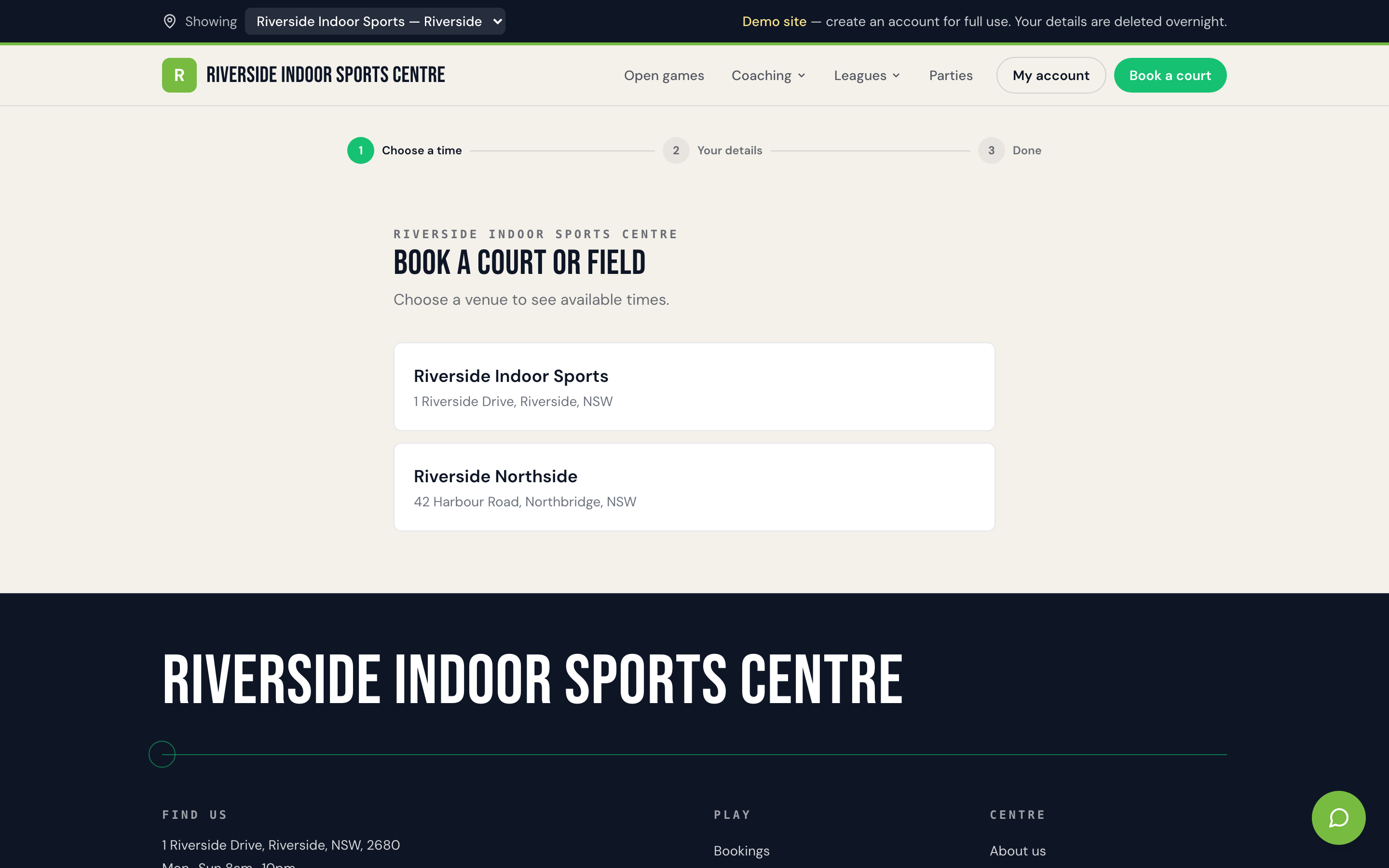
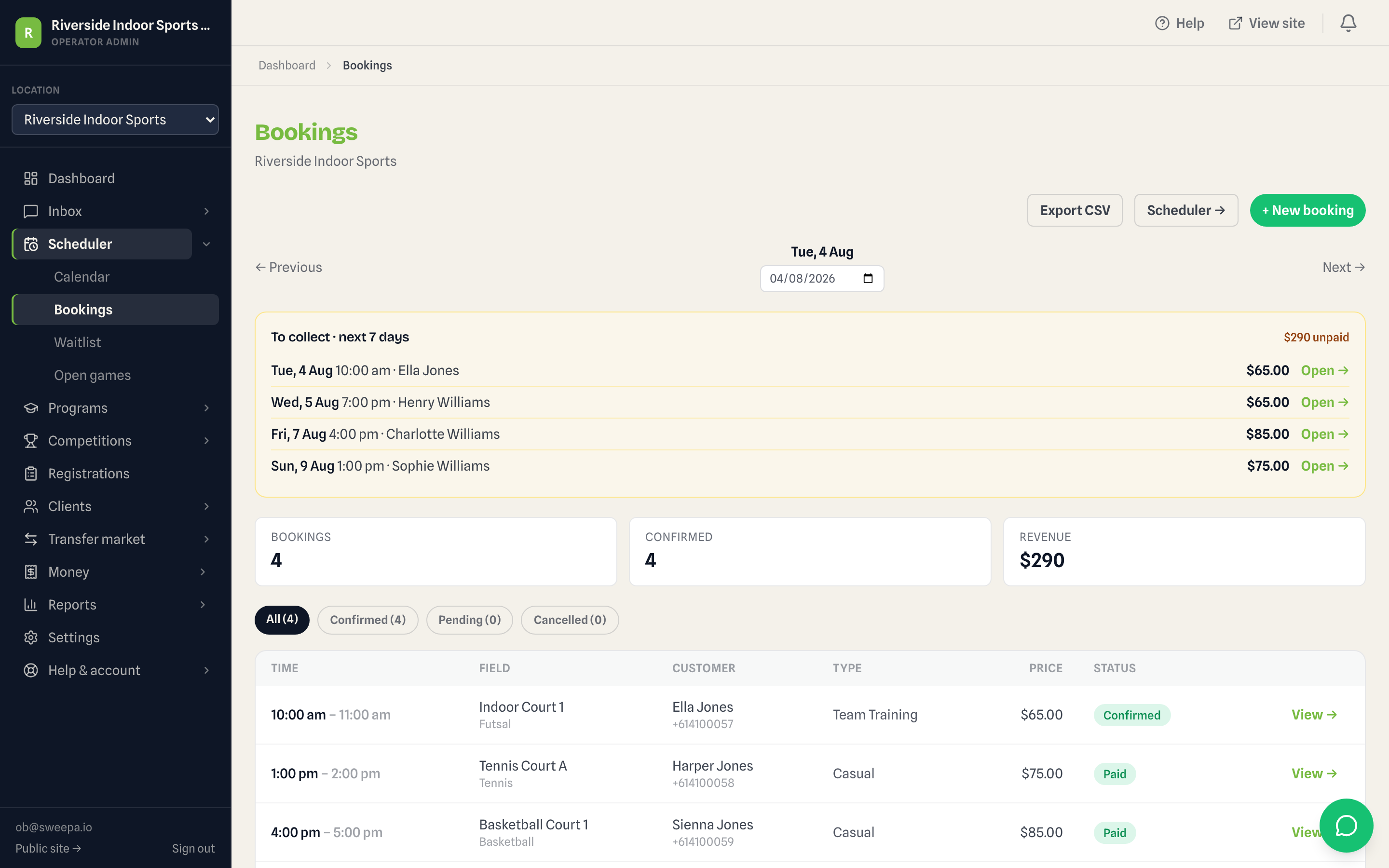
Concretely, that means a public booking page that shows real-time availability so people stop calling to ask what's free — casual hire, recurring blocks, parties and open games all reading off the same calendar as your staff. It means payment captured at the moment of booking (card, Apple Pay, Google Pay, and Afterpay or Zip where you've enabled it) instead of a slot held on trust and chased for weeks after. It means confirmations and reminders that go out automatically, so a wet-weather call made once reaches everyone booked that day without a duty manager working a phone list. And it means one dashboard where staff can see, edit and manage every booking across every court or field, instead of cross-checking a shared spreadsheet against a paper diary at the front counter.
This is where a platform like Sweepa's booking and payments features tend to earn their keep — not by replacing your judgement about how the venue should run, but by making the rules you've already set actually stick, shift after shift. If you're still working out what a booking system needs to cover before you shop for one, our court booking system guide walks through the specifics in more detail. And if spreadsheets are still doing the heavy lifting for you, it's worth reading how other venues knew it was time to move on from spreadsheets before the cracks showed.
Worth saying plainly: software isn't the right fix for every gap. If your real problem is that you haven't decided your cancellation policy, no platform will decide it for you. And if you're running a single court with a handful of regulars who all have your mobile number, a full booking-and-payments system might be more than you need for now — a shared calendar and a clear house rule can carry you a long way before the complexity justifies the tool.
A weekly operating rhythm
Systems and software both work better inside a rhythm. Most well-run venues, whatever their size, land on something close to this shape.
Early in the week — Monday or Tuesday — is for looking back and forward: reconcile the weekend's payments, chase anything outstanding while it's still a friendly nudge rather than an awkward one, and check the week ahead for gaps in bookings or staffing. Midweek is when programs and recurring bookings need attention — confirming numbers for anything running Thursday or Friday, sending reminders, covering any rostering holes before they become a Thursday-night scramble. Friday is the wet-weather and weekend-prep day: check the forecast, confirm the decision-maker and call time, and make sure Saturday's duty staff know exactly what's booked and what's outstanding.
Saturday itself is the changeover day at most venues — back-to-back bookings, parties overlapping with casual hire, a queue at the front desk if anyone still needs to pay on arrival. This is where fragmented admin shows up fastest, because there's no time to cross-check three systems between an 9am booking finishing and a 10am party setting up. The venues that handle Saturday changeovers well aren't the ones with the most staff on — they're the ones where the roster, the bookings and the payment status are all visible on one screen, so a duty manager can glance, not investigate. Sunday, for most venues, is a lighter admin day: a quick look at the week just gone, and a note of anything that needs fixing before Monday.
None of this needs to take hours. The point of a rhythm is that each task happens at a predictable moment, on a predictable cadence, instead of arriving as a surprise that derails whatever else you were meant to be doing that day.
Signs it's working
You'll know operations have moved from survival mode to actually working when a few things start being true. Nobody needs to ask "who booked this" because it's on the screen in front of them. A staff callout doesn't threaten to close the venue, because the next person on shift can see exactly what's on today without a handover call. Payment chasing shrinks to genuine exceptions — the odd bounced card — rather than being a standing Monday-morning task. Wet-weather calls go out once and reach everyone, instead of being relayed staff-to-staff and missing someone every time. And you, as the operator, can take a Saturday off without the venue's memory walking out the door with you.
That last one is the real test. A facility that only runs well when you're personally on-site isn't a system — it's a dependency. Getting from there to genuinely stable operations doesn't happen in one weekend, and it doesn't require ripping up how you run things. It's a handful of clear rules, a rhythm that repeats, and — once those are settled — tools that hold the rules in place so they don't quietly slide back into whoever remembers first. If you want to see what that looks like end to end, our pricing page breaks down what's included at each plan level as you weigh up whether now's the time to bring it in.
FAQ
How many staff do I need to run a small sports facility?
It depends heavily on courts, opening hours and whether you run programs alongside casual hire, but many two- to four-court venues operate with one duty manager per shift plus casual coaching or party staff as needed. The bigger driver of staffing stress usually isn't headcount — it's whether each shift can see what's booked and who owes what without chasing information from someone else.
What's the difference between managing a facility and managing a program inside it?
Facility management covers the venue itself — bookings, court allocation, payments, staffing, compliance. Program management (coaching, camps, terms) sits on top of that and adds registrations, waitlists and attendance. Many venues run both, and the two do need to share a booking calendar so a program block and a casual hire never land on the same court at the same time.
Do I need booking software from day one, or can I start with a spreadsheet?
A spreadsheet or shared calendar is a completely reasonable starting point for a very small or single-court operation, provided everyone who needs to see it can see it in real time. The usual tipping point is when you're taking bookings across more than one channel — phone, text, walk-in, online — because that's when double-bookings start slipping through.
How do I stop chasing payments for court hire?
The most effective fix is structural rather than behavioural: take payment at the time of booking instead of on arrival or after the fact. That turns "chasing" into an exception-handling task for the rare bounced card, rather than a routine chore. If you're still figuring out pricing and payment timing, it's worth reading a dedicated pricing guide before you lock in a policy.
What should a wet-weather policy actually cover?
At minimum: who makes the call, by what time relative to the first booking, how affected bookers are notified, and what happens to their booking — reschedule, credit, or refund. Write it down as a single sentence you could say out loud, and keep it consistent regardless of who's rostered that day.
Is running a sports facility mostly about admin or about the sport itself?
Both matter, but the honest answer is that admin — bookings, payments, communications, staffing, compliance — is what determines whether you get to spend your time on the sport at all. Operators who get the admin systems settled tend to describe having more headspace for coaching, community and growth, not less interest in it.