Sports facility management software: what it should actually do
Sports facility management software is a confusing category with wildly different products under the same name. Here's what it should actually do — the non-negotiables, the noise, and the questions to ask any vendor before you buy.
On this page
Why the category is confusing
Search "sports facility management software" and you'll get a dozen genuinely different products wearing the same label — a court booking calendar with a payments plug-in bolted on, a league-fixturing tool that added an events page, a gym membership platform reskinned for community centres, and full facility platforms trying to run bookings, coaching programs and competitions in one place. They're not competing on the same job, but the marketing pages read almost identically: a calendar screenshot, the word "all-in-one," a dashboard mock-up nobody's venue actually looks like.
That's the real confusion in this category. It isn't one product type — it's a spectrum running from single-purpose booking widgets through to genuine facility operating systems, and where a tool sits on that spectrum matters more than any individual feature on its list. A venue running casual court hire and nothing else needs something very different from a multi-site operator juggling bookings, term-based coaching programs and a Saturday competition on the same courts. Buy the wrong end of the spectrum and you either pay for capability you'll never touch, or you outgrow the tool within a season and land back at square one, running another evaluation.
This guide is deliberately vendor-neutral where it can be. The goal is a working definition of what sports facility management software should actually do, a clear line between non-negotiables and nice-to-haves, and a set of questions worth putting to any vendor — including us. If you want the operational side of this first, the actual jobs a venue juggles day to day, our guide on how to run a sports facility is the companion piece to this one.
The core loop: book, pay, play, repeat
Strip away the feature lists and every genuine facility platform is automating one loop: someone books a slot, pays for it, turns up and plays, and — ideally — comes back and books again. Software earns its keep by making each step of that loop frictionless and by keeping the record of what happened in exactly one place, visible to both the venue and the customer.
Book: real-time availability that reads the same whether it's checked from the front desk, a staff phone, or a public page — no double-bookings because two channels quietly fell out of sync. Pay: the payment happens at the moment of booking, not chased afterwards, through the methods your customers actually reach for — card, Apple Pay, Google Pay, and Afterpay or Zip where that suits your crowd. Play: the booking shows up correctly for staff on the day, with the court, the time and the payment status visible at a glance, so nobody's cross-checking three systems during a Saturday changeover. Repeat: the platform makes rebooking easy for a happy customer — a self-service portal, a recurring slot, a timely reminder — rather than relying on them to remember to call back.
Where this loop breaks, it breaks at the seams between steps — the manual handoff nobody automated. A booking that doesn't automatically create a payment record. A cancellation that updates the calendar but not the refund. A payment that lands in the bank account but never updates the roster of who's actually paid. Sports facility management software worth paying for closes those seams, so the loop holds together without anyone carrying it in their head.
Non-negotiables
Some capabilities aren't optional extras — they're the floor. If a platform is missing any of these, it isn't facility management software yet, it's a booking widget with ambitions.
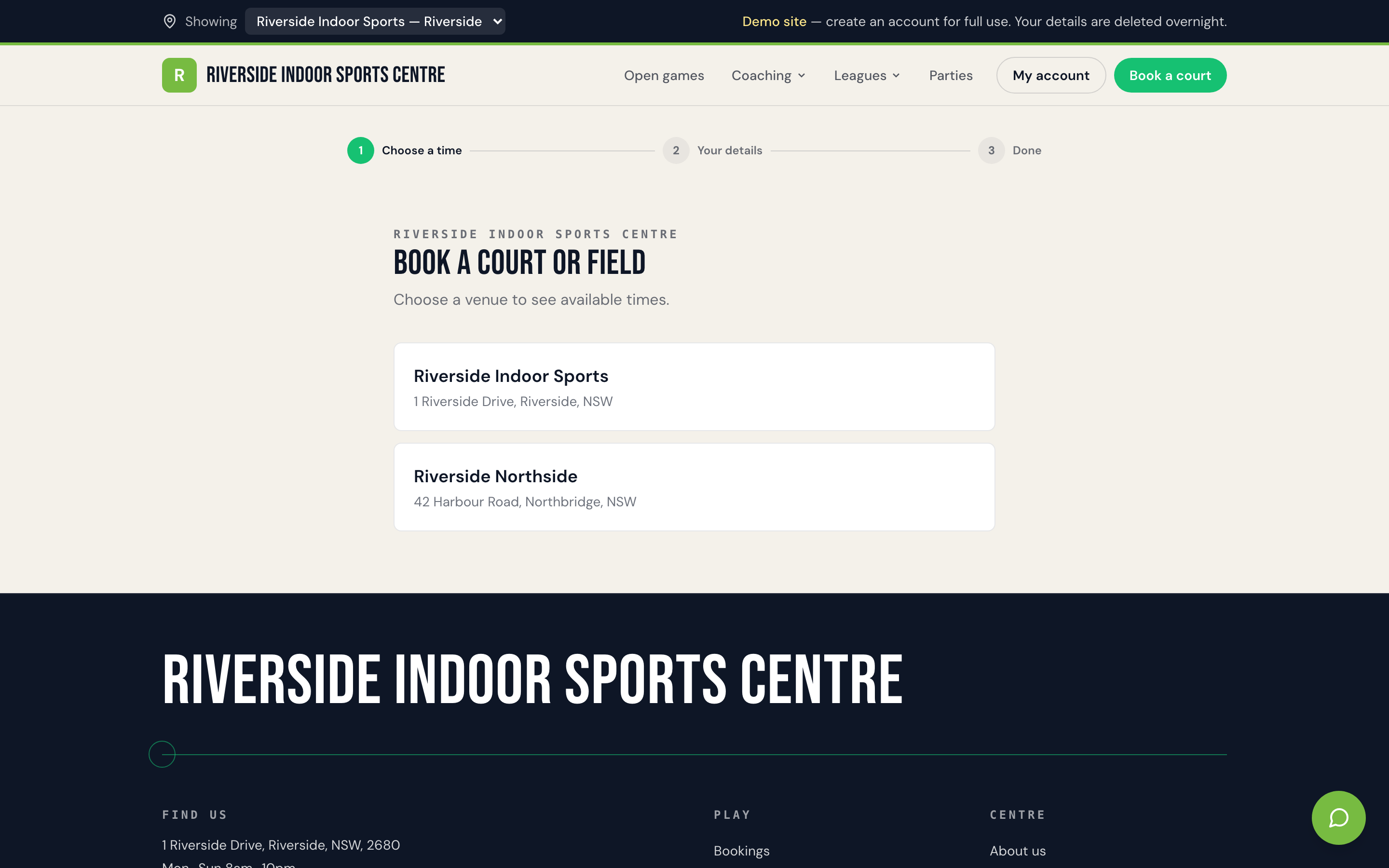
A real-time booking calendar that's the single source of truth, covering casual hire, recurring bookings, parties and open games without a second spreadsheet running alongside it "just in case." Payments taken natively at the point of booking — not a redirect to a third-party checkout that loses the booking context — covering card, Apple Pay and Google Pay at minimum, with Afterpay or Zip available where your venue wants them. Automated communications: booking confirmations, reminders, and a wet-weather or cancellation notice that reaches everyone booked that day without a duty manager working a phone list by hand. A staff-facing view — ideally a proper mobile app, not a squeezed-down website — that shows what's on, who's paid, and what needs attention without a trip back to the front desk. Invoicing that carries your own venue's prefix and numbering, not a generic receipt that looks like it came from the software vendor rather than you. And a client portal where customers can see their own bookings, payment history and upcoming sessions without ringing the office to ask.
None of this is exotic. It's the operational floor a venue needs to stop running on memory. If a platform can't do all six without an add-on, a workaround, or "coming soon," it's worth asking hard questions about how much of your actual week it will genuinely take off your plate.
Nice-to-haves vs noise
Past the floor, the category splits into things that are genuinely useful for some venues and things that sound impressive on a sales call but rarely change a Tuesday.
Genuinely useful, depending on what you run: program registration with waitlists and sibling discounts, if you run coaching or camps alongside court hire; competition tools — fixtures, ladders, results, a public comp page — if you run or host a league; a branded website for your venue with its own domain, so your booking page doesn't look like a generic third-party tool; in-product help that's assistive rather than autonomous, nudging staff toward the right screen rather than trying to run the roster itself.
Noise, more often than not: kiosk mode for a venue that doesn't run one manned entry point. Membership and subscription-credit systems bolted onto a venue that just does casual and recurring hire. A retail point-of-sale grafted onto a booking platform, when you're not running a pro shop. Drag-and-drop website builders when what you actually needed was a booking page, not a design project. Grand "suite" branding — Sales Suite, Marketing Suite, Accounting Suite — that mostly signals a pricing tier, not a feature you'll open twice. None of these are bad ideas in the abstract. They're just noise if they're not solving a problem your venue actually has, and they tend to correlate with a more complicated, more expensive plan.
The honest test: for every feature on a vendor's homepage, ask whether it removes a step your team does every week, or whether it's there because it photographs well in a demo.
Multi-location and growth
Single-venue operators can mostly skip this section — until, one day, they can't. Growth usually arrives as a second court complex, a franchise opportunity, or a council contract covering more than one site, and it exposes whatever the software wasn't built for.
The question to ask early, even if you're single-site today, is whether the platform handles multiple locations on one account with sensible plan limits, or whether "multi-location" secretly means running two separate, disconnected subscriptions that don't share reporting, branding or a login. The second option isn't multi-location software — it's the same fragmentation problem you were trying to solve, just duplicated. A genuine multi-site setup should let you see bookings and revenue across every location from one place while still giving each site its own calendar, its own staff and its own local branding where that matters — a suburban leisure centre and a CBD futsal venue rarely want to look identical to their respective customers, even under the same parent operator.
Franchise and multi-site groups have an extra wrinkle: consistency without rigidity. Head office typically wants standard policies — cancellation windows, payment methods, comms templates — applied everywhere, while each site manager still needs room to run their own court allocation and local promotions. Software that forces every location into identical settings usually gets worked around locally, which quietly recreates the fragmentation problem one site at a time. If growth — even hoped-for, not-yet-real growth — is on your roadmap, it's worth checking a platform's multi-location story now rather than discovering its limits mid-expansion. Our guide to managing a multi-location sports venue goes deeper on what actually changes operationally once you cross from one site to several.
Questions to ask any vendor (including us)
Most vendor comparisons focus on feature lists, which is exactly what every vendor's sales page has already optimised for. A better filter is a handful of direct questions, asked plainly, that are hard to spin.
Can I see real, specific pricing before I book a call? Vague "contact us for a quote" pricing on a category this mature usually means the number depends more on your willingness to negotiate than on what you actually need. What exactly happens to my booking history and customer data if I leave in a year? A confident vendor has a straightforward export answer; a vague one is hoping you won't ask until you're already locked in. Who actually processes the payments, and what are the real fees — including the ones that only show up on Afterpay or Zip transactions? Payment processing is where "included" pricing quietly stops being included. How fast can I genuinely go live — days, or a multi-week implementation project with a dedicated onboarding manager? Both are legitimate, but the answer should match what you're actually buying. Can staff and customers use this properly from a phone, without fighting a desktop interface shrunk to fit a small screen? What's included at my plan tier versus what becomes an upsell once switching costs are already high? And practically: if something breaks on a Saturday morning with a queue at the door, is there a human on the other end, or a ticket number and a promise for next business day?
None of these questions require inside knowledge of any specific product — they're the same questions worth asking about accounting software, a CRM, or anything else you're trusting with daily operations. Ask them of every vendor on your shortlist, us included, and the answers will do more to separate the category than any comparison chart.
How Sweepa approaches it
We built Sweepa because we were operators first, and the tools available either handled bookings and nothing else, or tried to be everything and did most of it badly. Our answer was to keep the core loop — book, pay, play, repeat — genuinely solid, and add the parts venues, coaching programs and leagues actually asked for.
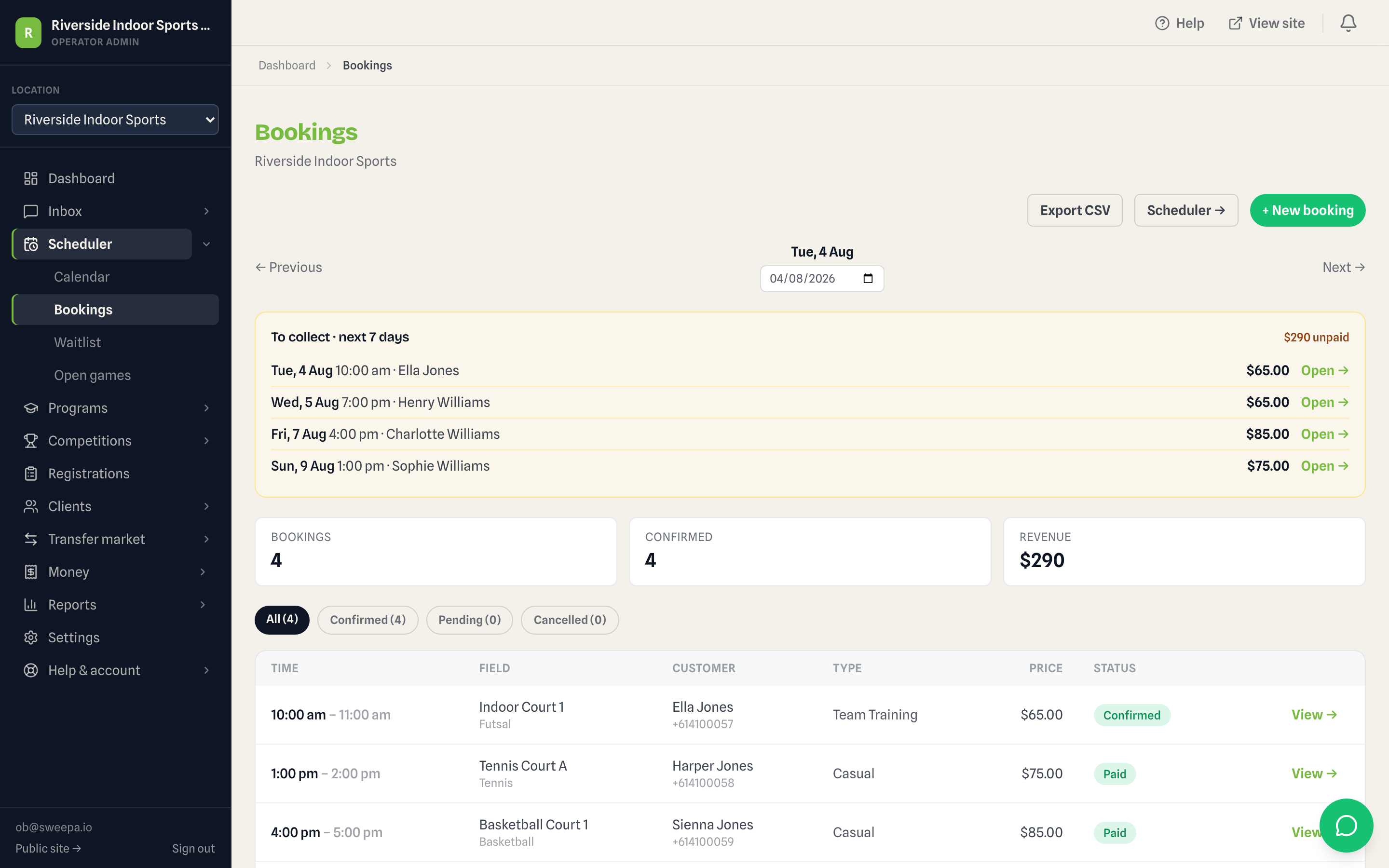
In practice, Sweepa's booking, payments and program features live on one account: casual and recurring court hire, party and open-game bookings, coaching and camp registrations with waitlists and sibling discounts, and competition tools for fixtures, ladders and results — all reading off the same calendar so a program block and a casual booking can never collide. Payments run through Stripe natively, with Afterpay and Zip where a venue wants them, and invoicing carries your own prefix, not ours. Every venue gets a branded {slug}.sweepa.io site, plus staff and client apps and a self-service client portal. Multi-location runs on one account with plan-based limits — the thing that matters the day a single-court operation becomes a two-site one.
Getting started doesn't require a sales process to find out if it fits: a 30-day free trial, a live demo tenant at demo.sweepa.io you can click through before talking to anyone, and approval-then-provision onboarding that gets most venues live in days, not weeks. Our pricing page lays out what's included at each plan, because "can I see real pricing before I book a call" is a question we think every vendor should be able to answer plainly, including us.
None of that makes Sweepa the right fit for every venue. Running a single court with a handful of regulars who all have your mobile number, or needing only a fixturing tool for one weekend competition, are both cases where a smaller, more specific tool might genuinely serve you better. This guide was never meant to argue every venue needs a full platform — it's meant to leave you able to tell, quickly, whether any given vendor is solving your actual problem or just using the same words everyone else does.
FAQ
What's the difference between sports facility management software and a simple booking tool?
A booking tool solves one step — showing availability and taking a reservation. Sports facility management software covers the full operational loop: real-time bookings, payments taken at the point of booking, automated communications, staff visibility and often program registrations or competitions on top. If a platform only does the booking calendar and leaves payments, comms and staff coordination to other tools, it's a booking widget, not facility management software.
Do I need dedicated software from day one, or can a small venue start with a spreadsheet?
A spreadsheet or shared calendar is a reasonable starting point for a single-court operation with a handful of regulars, provided everyone who needs to see it can see it in real time. The usual tipping point is taking bookings across more than one channel — phone, text, walk-in, online — because that's when double-bookings and payment confusion start slipping through.
How much does sports facility management software cost in Australia?
Pricing varies by plan tier, number of locations and transaction volume, and a category-mature vendor should be able to show you real numbers before a sales call rather than requiring one to get a quote. Beyond the base subscription, check what's included versus what's an add-on, and how payment processing fees are structured, since that's often where the real cost sits.
Can one platform handle bookings, coaching programs and competitions together?
Yes, on platforms built to cover the full facility rather than a single function — the value is that a coaching program, a casual booking and a competition fixture all read off the same court calendar, so they can't accidentally double-book the same space. Not every venue needs all three; it depends on what you actually run.
What happens to my booking and customer data if I switch platforms later?
This is worth asking before you sign up, not after you've decided to leave. A straightforward vendor will explain how to export your bookings, customer records and payment history in a usable format. Vague or evasive answers here are a real warning sign about how easy it'll be to leave if the fit isn't right.
Is a mobile app necessary for staff and customers, or is a website enough?
It depends on how your team actually works. A duty manager checking bookings between courts, or a parent booking a session from the sideline, both benefit from a proper mobile experience rather than a desktop site shrunk to fit a phone screen. If most of your bookings happen from a front-desk computer, a well-built mobile website may be enough — the test is where your staff and customers actually are when they need it.