Sports Program Registration Parents Actually Finish
Most term program sign-ups aren't lost to poor coaching — they're lost to long forms, missing payment steps and unclear waitlists. Here's how to build a sports program registration flow parents actually finish.
On this page
Where sports program registration loses parents
Picture a parent on their lunch break, phone in hand, trying to lock in a spot for term 4 Nippers or after-school futsal before the good time slots go. They find the form. Page one asks for the child's name, DOB, school and grade. Page two wants an emergency contact, a second emergency contact, and a medical questionnaire that reads like an insurance intake. Page three says "payment details to follow by email." They close the tab to answer a Slack message, and they never come back.
That's the honest picture of where sports program registration breaks down. It's rarely that parents don't want to sign their kid up — it's that the form asks for more than it needs before it's earned the right to, it doesn't work well on a phone, and it doesn't confirm anything in the moment. A term program sign-up that can't be finished in under three minutes, on a phone, in one sitting, is a form that's actively costing you enrolments.
We see the same pattern across futsal centres, swim schools and multi-sport academies: the programs that fill fastest aren't necessarily the best coached — they're the ones where a parent can register, pay and get a confirmation before the kettle's boiled.
Ask only what you need
Every field on a registration form is a small tax on finishing it. Before you add one, ask what breaks if you don't have it on day one.
For most coaching programs, the first pass genuinely needs: child's name and age or grade, one parent or guardian contact (email and mobile), which program and session they want, and a yes/no on anything urgent — allergies, medical conditions, or additional needs that affect supervision. Everything else — second emergency contacts, detailed medical history, photo consent, uniform sizing — can come later, once the spot is confirmed and the parent is invested. Chasing that detail after registration is a five-minute admin job. Asking for it upfront is how you lose the registration entirely.
A useful test: if a field only matters once the program has started, it doesn't belong on the first screen. Keep the form to one clear step per screen with a visible sense of progress — parents who can see they're nearly done are far more likely to push through than ones staring at a long, undifferentiated form. Mobile matters more than desktop here; most parents are registering from their phone between other things, not sitting at a laptop.
Payment at registration
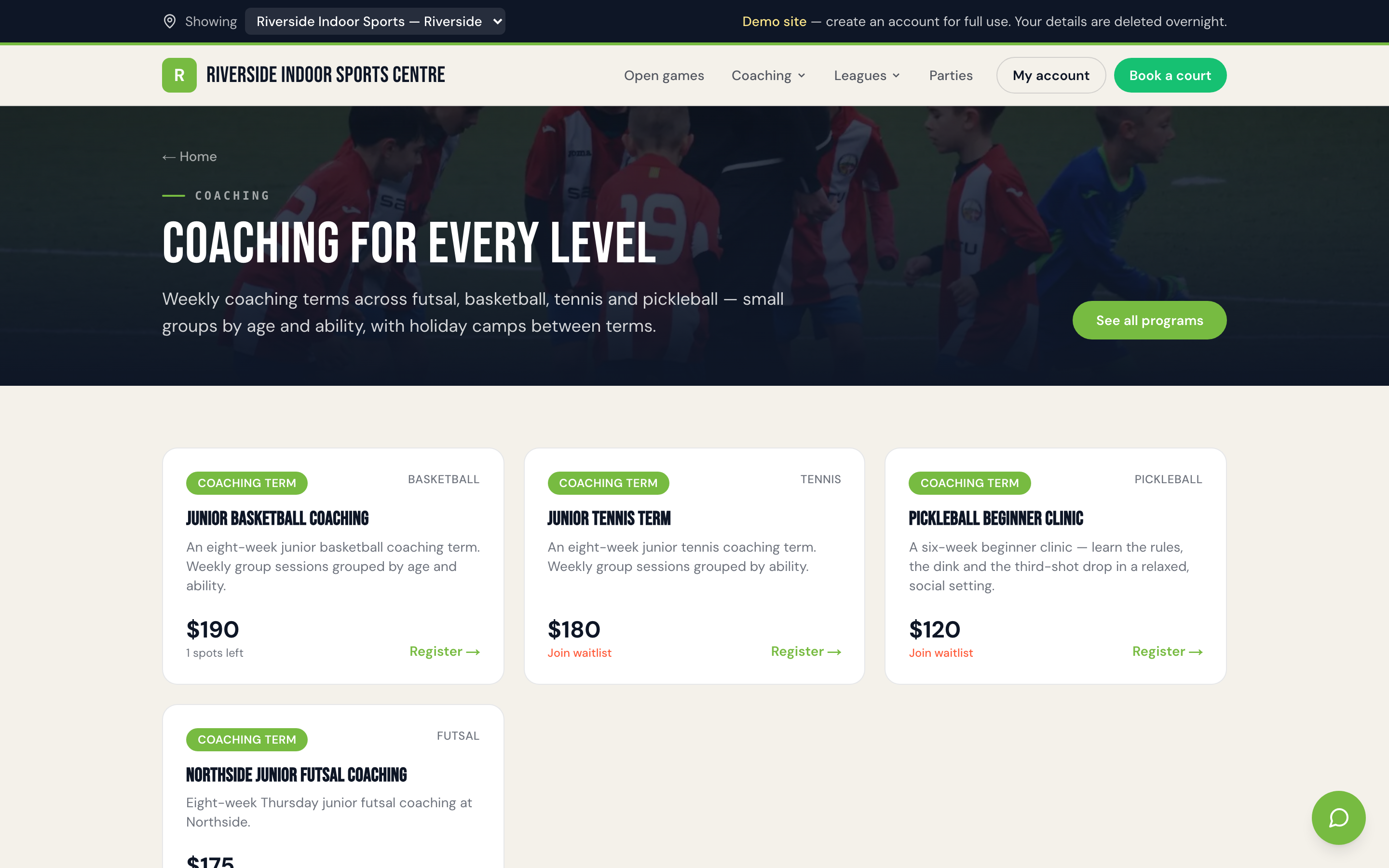
The single biggest source of admin load in term programs isn't coaching — it's chasing money. "Register now, invoice to follow" sounds friendly, but it splits one job into two, and the second half becomes your problem, not the parent's. Every gap between "you're registered" and "you've paid" is a gap where someone forgets, a card fails silently, or a spot sits half-committed while someone else who would have paid on the spot misses out.
The fix is to make payment part of the same flow as registration, not a follow-up step. Card, Apple Pay and Google Pay at the point of sign-up, with Afterpay or Zip available where that suits your families, means a registration is either complete or it isn't — there's no murky middle state to manage. It also means your books reflect reality in real time: a full term program is a term program that's actually been paid for, not one that's full on a spreadsheet and half-paid in practice. Sweepa's registrations and payments are built to work this way — one screen, one action, done — which is worth a look if you're still running sign-up and payment as separate steps.
Waitlists when you're full
Popular terms fill in days, sometimes hours, and a flat "sorry, this program is full" page is where you lose a parent who would happily wait — or come back next term — if you just told them where they stood. A waitlist isn't a consolation prize; it's a demand signal you can act on. If your Tuesday 4pm group is chronically oversubscribed and Thursday 4pm has room, that's your cue to open a second Tuesday group next term, not just apologise more politely.
Done well, a waitlist should be automatic: when a program hits capacity, new sign-ups drop straight onto the list instead of hitting a dead end, and when a spot opens — someone withdraws, you add a session — the next family in line gets offered it without a staff member manually working a spreadsheet. We've written more on getting this right in waitlists, trials and sibling discounts, including how to handle the awkward bit: what happens when someone doesn't respond to an offered spot in time.
Sibling discounts done properly
Multi-child families are some of your best customers — two or three kids across a term, term after term — and they're also the ones most likely to notice when your pricing makes them do the maths themselves. A sibling discount that requires emailing the office, or hunting for a promo code that isn't advertised anywhere, isn't really a discount. It's friction with a fifty-dollar reward at the end, and plenty of parents won't bother chasing it.
The better version applies automatically the moment a second child from the same family registers for the same term — no code, no email, no "ask at reception." It's visible in the checkout total before payment, not adjusted afterward. That transparency matters more than the discount amount: parents trust venues that show their working. If you haven't settled on a sibling discount structure yet, our guide to how to price coaching programs walks through where a sibling rate sits alongside term pricing and casual rates.
Confirmations and reminders
Registration isn't finished when the payment clears — it's finished when the parent knows, without doubting it, that their kid has a spot and knows where to be. A confirmation email or SMS should land within seconds of payment, not at the end of the day in a batch. It should say the program name, day and time, venue and what to bring on the first session — not just "thanks for registering," which tells a busy parent nothing they didn't already know.
The second job is the reminder in the days before term starts. A short SMS the weekend before — "First session for Junior Futsal is Tuesday 4pm at Riverside Courts, bring water and shin pads" — does more to cut first-week no-shows than any amount of information buried in a welcome pack three weeks earlier. Automated confirmations and reminders also take a genuine chunk of enquiries off your front desk: "did my registration go through" and "what time does it start again" are two of the most common messages a program coordinator answers, and both are solved before they're asked if the system sends them automatically.
Re-enrolment next term
The best predictor of a full term isn't your marketing — it's how easy you made it for last term's families to come back. If re-enrolling means filling out the same long form from scratch, remembering the same medical details, entering the same card again, you're adding friction at exactly the point where a parent has already decided yes and just needs a fast path to confirm it.
A good re-enrolment flow remembers what it already knows: the child's details, the emergency contact, the payment method on file. It surfaces the obvious next step — "continue Junior Futsal into Term 4?" — as close to a single tap as you can make it, with attendance from the current term feeding into whether that prompt goes out at all (a family that missed every session is a different conversation to one that showed up every week). Getting new families through a clean sign-up is only half the job we cover in our guide to starting a sports coaching business in Australia — getting existing ones back in with minimal effort is what actually compounds a program's numbers term over term.
FAQ
How many fields should a sports program registration form ask for?
Keep the first pass to what you genuinely need to confirm a spot and keep a child safe: name, age or grade, one parent contact, program choice, and a yes/no flag on urgent medical or allergy issues. Detailed medical history, second emergency contacts and photo consent can be collected after the spot is confirmed, once the parent is invested rather than deciding whether to bother finishing the form.
Should parents pay when they register, or be invoiced afterwards?
Taking payment as part of the registration flow — card, Apple Pay, Google Pay, or Afterpay/Zip where you offer it — avoids the admin of chasing invoices later and means your program numbers reflect who's actually paid, not who's said yes on a form. Splitting registration and payment into two separate steps is the single biggest source of follow-up admin for most coaching programs.
What should happen when a term program is full?
A full program should move new sign-ups onto a waitlist automatically rather than showing a dead end. When a spot opens — a withdrawal, an added session — the next family in line should be offered it without a staff member manually working a spreadsheet. A healthy waitlist is also useful data: it tells you which time slots to duplicate next term.
How should sibling discounts be applied?
Automatically, at checkout, the moment a second child from the same family registers for the same term — not via a promo code parents have to hunt for or an email to the office. Showing the discount applied in the total before payment builds more trust than the discount amount itself.
What should a registration confirmation include?
More than "thanks for registering." A useful confirmation states the program name, day and time, venue, and what to bring to the first session, sent within seconds of payment rather than in an end-of-day batch. A reminder in the days before term starts — with the same practical details — meaningfully cuts first-week no-shows.
How do I make re-enrolment easier for returning families?
Don't make returning parents fill out the same form from scratch. A good re-enrolment flow remembers the child's details, emergency contact and payment method on file, and reduces the decision to a single prompt like "continue Junior Futsal into Term 4?" The easier that step is, the higher your term-over-term retention will be.