Holiday Camp Registration Form: The Questions to Ask Before a Child Walks In
A field-by-field guide to what your holiday camp registration form should collect, from medical and allergy details to pick-up authorisations, and which fields to make compulsory.
On this page
It's 8:20 on the first Monday of the holidays, there's a queue of parents at the desk, and a dad is telling your coach his son has a nut allergy, the EpiPen is in the bag, and Nan's picking up at three. None of that is on your holiday camp registration form. A good holiday camp registration form means that conversation happens weeks earlier, in writing, and your coach already knows it before the child walks in.
This post goes field by field: what to collect, why, and which questions to make compulsory so parents can't skip them. By the end you'll have a form you can rebuild before your next camp opens for rego.
What a holiday camp registration form actually has to do
A camp form isn't a sign-up sheet. It does four jobs at once:
- Tells you who the child is and which days they're attending.
- Tells your coaches what could go wrong — medical conditions, allergies, medication.
- Tells you who the child can leave with at the end of the day.
- Records what the parent has agreed to — terms, photos, sunscreen, first aid.
It also has to be short enough that a parent finishes it on their phone in the car park. That tension — complete versus finishable — is the whole design problem. The answer is to be strict about a small number of fields and relaxed about everything else.
If you're still tuning the general flow of your rego (payment step, sibling handling, confirmation emails), our guide to sports program registration parents actually finish covers that side. This post is about the questions themselves.
Child and parent details: the basics that must be right
Start with the fields everyone expects. Get these wrong and nothing else matters.
Child
- Full name, plus preferred name if different (coaches call kids by what they answer to)
- Date of birth — not just age, because age groups shift between camps
- Year at school, if you group by year rather than age
- Days attending, if you sell individual days
Parent or guardian
- Name, mobile and email for the primary contact
- A second contact who is a different person, with a different mobile number
- Relationship to the child
That last point catches people. Plenty of forms accept the same mobile twice. If Mum is unreachable and the second contact is also Mum, you don't have a second contact. Add a line under the field saying it must be a different person.
Medical, allergy and medication fields
This is the section your coaches will actually read, so structure it for them, not for the database.
Avoid a single free-text box that says 'Any medical conditions?'. You'll get 'no', 'nil', 'N/A', blank, and occasionally a paragraph that hides the important bit in line four. Instead, ask a yes/no question first, then reveal a detail box only when the answer is yes:
- Does your child have any allergies? Yes/No. If yes: what to, and what the reaction looks like.
- Does your child have an action plan for anaphylaxis or asthma? Yes/No. If yes: ask the parent to bring a copy on day one, and say so in the confirmation email. For allergy plans, the ASCIA Action Plan is the format most Australian parents will already have.
- Will your child bring medication to camp? Yes/No. If yes: what it is, when it's taken, and whether staff need to administer it or just know about it.
- Any other medical conditions, injuries or disabilities we should know about? Yes/No, with detail.
- Anything that would help us support your child on the day? Optional free text. This is where parents tell you about anxiety, sensory needs or a recent tough week.
Two rules for this section. First, don't give medical advice or promise medical care in the wording — describe what your staff will do (call the parent, follow the action plan provided, call emergency services). Second, check what your state, insurer and governing body require for medication handling and first aid. Requirements differ, and the form should reflect your actual policy, not a template you found.
On privacy: health information is sensitive information under Australian privacy law. Only collect what you'll use, store it somewhere access-controlled, and check the Office of the Australian Information Commissioner's guidance for your obligations.
Pick-up authorisations: who can collect, and how you check
Pick-up is where camps get into real trouble, and the form is your first defence.
Ask for:
- Authorised collectors — name, relationship and mobile for each person (other than the parents) allowed to pick up.
- Anyone who must not collect the child — with a note that you may ask for a copy of any court order, and that parents should tell you directly as well.
- Can the child leave on their own? Only relevant for older kids. Make the default 'No'.
- How you'll check identity — tell parents in the form text that unfamiliar collectors will be asked for photo ID. Saying it up front means nobody is offended at the desk.
Then add one line that saves a lot of grief: 'If someone not on this list is collecting, text us before 12pm.' It gives Nan a path onto the list that doesn't involve a phone call at 2:55.
Your pick-up process also depends on having enough staff at the gate. Our post on holiday camp staffing ratios and briefings covers how to roster sign-out so one coach isn't checking IDs while minding twenty kids.
Consents worth asking for up front
Keep consents as separate tick boxes, not one bundled 'I agree to everything'. Parents should be able to say no to photos without being blocked from booking.
- Terms and conditions — including your cancellation and transfer rules. Link them; don't paste them. (If you haven't written those rules yet, see our holiday camp transfer policy guide.)
- Photo and video consent — separate options for internal use and public social media.
- Sunscreen — can staff apply it, or will the child self-apply?
- First aid and emergency treatment — consent for staff to give first aid and call an ambulance. Have your wording checked against your insurer's requirements.
- Leaving the venue — only if your camp includes walks to a park or excursions.
Which holiday camp registration form fields to make compulsory
Here's the decision table we'd start from. Compulsory means the form won't submit without it.
| Field | Compulsory? | Why |
|---|---|---|
| Child full name, date of birth | Yes | Grouping, records, emergencies |
| Days attending | Yes | Attendance and ratios |
| Primary contact name, mobile, email | Yes | You need to reach someone |
| Second contact (different person) | Yes | The first one won't always answer |
| Allergies yes/no | Yes | Forces a deliberate answer |
| Action plan yes/no | Yes | Coaches must know before day one |
| Medication yes/no | Yes | Same reason |
| Allergy/medication detail | Yes, if answered 'yes' | Conditional — only appears when needed |
| Authorised collectors | Yes (at least one, or 'parents only') | Sign-out depends on it |
| Can leave alone | Yes, default 'No' | Avoids assumptions |
| Terms and conditions | Yes | Your policies apply |
| First aid consent | Yes | Staff need to act |
| Photo consent | Yes to answer, either answer accepted | A clear yes or no beats a blank |
| Preferred name, school year | Optional | Nice to have |
| Support notes | Optional | Parents share more when it isn't forced |
| T-shirt size, how did you hear | Optional | Never block a booking on these |
The pattern: make the yes/no compulsory, and the detail conditional. Parents can't skip the question, but they don't wade through boxes that don't apply.
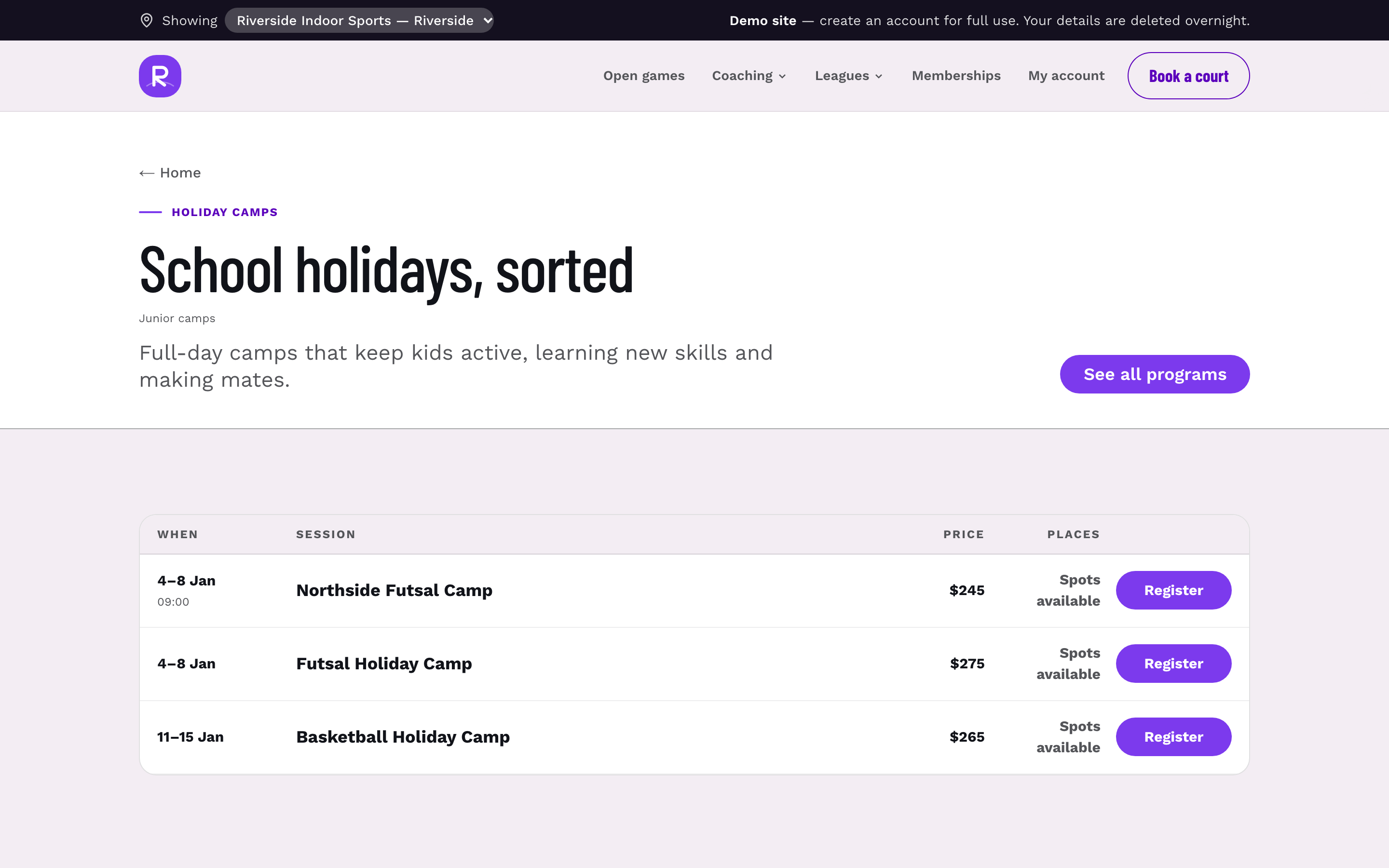
If you're running rego on paper or a generic form tool, these rules are harder to enforce and the answers end up in a different place from your attendance list. In Sweepa, camp and program registration sits alongside waitlists, sibling discounts and attendance, so the details parents give you live in the same system your coaches use on the day.
What happens at the desk when the form is thin
A setup we see a lot: a camp runs a short online form — name, age, parent email, payment — and plans to 'grab the rest on day one'. Here's what day one looks like.
Drop-off runs fifteen minutes late because every family stops at the desk. A coach is writing allergies on the back of the roster sheet. Two parents say 'it's all on the form from last year'. One child's medication isn't mentioned until lunch. At pick-up, an aunt arrives, nobody can confirm she's allowed, and the coach spends ten minutes ringing a mum who's in a meeting.
None of that is anyone's fault on the day. It's the form. The camps that run calm Monday mornings are the ones where the coach's printout or app already shows each child's allergies, medication and collectors before the gate opens — and the desk is only for name ticks and sunscreen.
A useful habit: two or three days before camp, pull a list of every child with a 'yes' in the medical section and have the camp lead read it. Anything unclear, ring the parent then, not at drop-off.
Common mistakes that make parents abandon the form
- Asking for everything per child, even for siblings. Pre-fill parent and pick-up details for the second child.
- Making optional fields compulsory. A parent who can't remember a Medicare number shouldn't lose their spot.
- One giant page. Break the form into short steps: child, medical, pick-up, consents, payment.
- Not letting parents update details later. Allergies and collectors change. Give families a way to update their own details — a client portal is ideal — rather than emailing you.
- Re-asking returning families from scratch. Show last camp's answers and ask them to confirm.
Before you open rego: a form checklist
Run through this before your next camp goes live:
- Second contact must be a different person with a different number.
- Medical questions are yes/no first, with conditional detail boxes.
- Action plan and medication questions are compulsory, and the confirmation email asks parents to bring copies.
- Authorised collectors field is compulsory, with 'parents only' as an option.
- 'Can leave alone' defaults to No.
- Consents are separate tick boxes, with terms linked.
- Photo consent requires an answer but accepts either.
- Nothing optional blocks submission.
- Health information is stored with restricted access, and you've checked your privacy obligations.
- Someone fills in the form on a phone, start to finish, and times it.
Do step 10 on Monday. If it takes you longer than a few minutes, it'll take a parent in a car park longer still. To see how a camp rego flow looks end to end, have a look through everything Sweepa does on one page.
FAQ
What should a holiday camp registration form include?
At minimum: child details and days attending, two emergency contacts who are different people, allergy, action plan and medication questions, authorised collectors, and consents for terms, first aid and photos. Keep optional extras like t-shirt size clearly optional so they never block a booking.
Which fields on a camp form should be compulsory?
Make the safety-critical yes/no questions compulsory: allergies, action plans, medication, authorised collectors, first aid consent and terms. Detail boxes should only appear and become compulsory when a parent answers yes. Marketing and preference fields should always be optional.
Should I collect Medicare numbers on a holiday camp form?
Some camps do, but it shouldn't block a registration if a parent doesn't have the number handy. Check what your insurer and first aid policy actually need, and only collect what you'll use. Health and identity details are sensitive, so store them with restricted access.
How do I handle a different person collecting a child on the day?
Ask parents to list authorised collectors on the form, and tell them in writing that anyone unfamiliar will be asked for photo ID. Give a clear way to add someone on the day, such as texting the camp before midday. If someone isn't on the list and you can't confirm with a parent, the child stays with staff.
Do returning families need to fill in the whole form again?
They should confirm their details every camp, because allergies, medication and pick-up arrangements change. The easiest approach is to show their previous answers and ask them to confirm or update. That keeps information current without making loyal families start from scratch.